When your dash cam keeps restarting, it’s annoying and worrying. I rely on mine to record trips, protect evidence, and give peace of mind. When it reboots over and over, I fear missed footage or a broken camera. You probably feel the same.
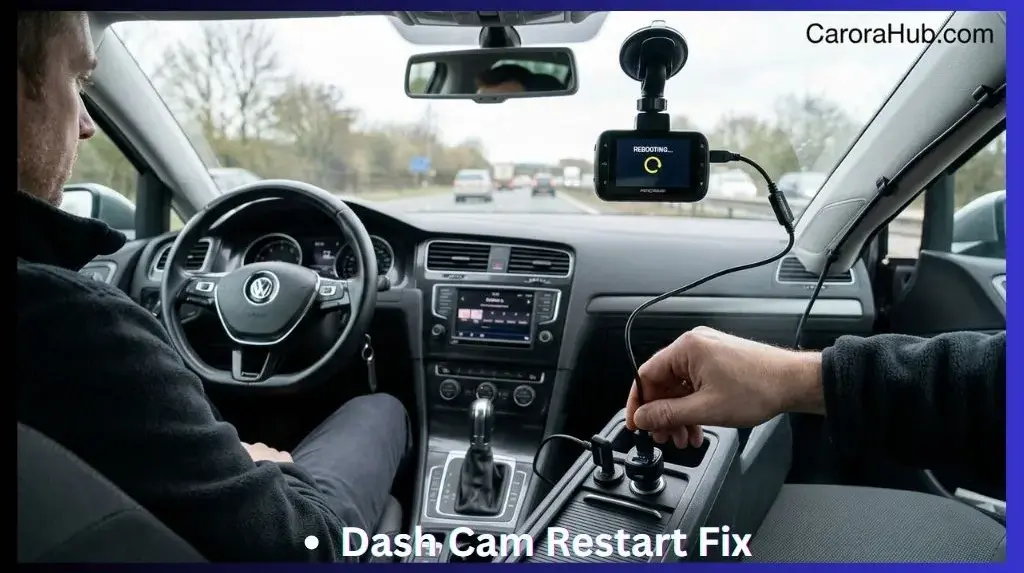
A dash cam keeps restarting most often because of an unstable power supply, a faulty cable, or a failing microSD card. Other common triggers are voltage drops from the car battery, loose connections, overheating, or firmware glitches that cause the device to reboot automatically to protect itself.
The good news: most restart problems are fixable. Many are caused by simple issues you can diagnose and repair at home. In this guide I’ll walk you through the common reasons dash cams restart, a practical diagnosis checklist I use, step-by-step fixes, and ways to prevent future reboots. I’ll also share a few less-obvious tips I’ve learned the hard way. By the end, you’ll understand why dash cams reboot and how to keep yours recording reliably.
Understanding Dash Cam Restarts
Dash cams are meant to record continuously while your car is on. A restart happens when the camera turns off and then back on, either automatically or from a power interruption. Sometimes it is a rare hiccup. Other times the camera reboots every few minutes or seconds. That repeated rebooting can cause lost clips, corrupt files, and stress.
A restart interrupts file writes. That raises the chance of corrupted videos and lost evidence. Repeated restarts also stress internal parts. The sooner you diagnose the cause, the more footage you can save and the less likely the device will suffer long-term damage.
Why Is This Problem Important?
If your dash cam restarts, it may:
- Miss important moments like accidents, theft, or road incidents.
- Fail to save video files properly, causing corruption.
- Wear out internal parts faster from repeated power cycling.
- Make you lose confidence in the device at a critical time.
Knowing the cause helps you fix it and trust your dash cam again. From my experience, starting with power and then checking the microSD card solves most cases.
Main Reasons Dash Cams Keep Restarting
Most restart problems fall into a few areas. I’ll cover each cause, the signs to watch for, and real-world examples. That way you can identify the issue faster and try the right fix first.
1. Power Supply Issues
Power supply problems are the most common cause. Dash cams need a steady 5V (or the voltage specified by the manufacturer). Any interruption or large drop in voltage can trigger a reboot. In cars, voltage can fluctuate when the engine starts, when accessories draw power, or when a connection is loose.
Loose Or Faulty Cable
A worn or loose cable often causes intermittent power. If the cable wiggles and the dash cam restarts, that’s a clear sign. This happens a lot with cigarette-lighter power adapters or old USB cables.
- Wiggling the cable sometimes stops restarts.
- Sudden bumps or vibrations can trigger a restart if the connector is loose.
My tip: try a different, high-quality cable. Use cables rated for constant charging and data transfer. Cheap cables can cause voltage drops under load.
Weak Car Battery
An old or weak battery can let voltage dip when the engine starts or when other electronics run. Dash cams are sensitive to these drops.
- Dash cams often restart when the car starts or during heavy electrical use, like running the heater, AC, or stereo.
If your battery is more than 3–4 years old, check its health. A simple battery load or voltage test can reveal issues. I’ve seen dashboards show normal range, but the battery still dipped under load. That dip caused the dash cam to reboot.
Faulty Power Adapter
The power adapter that plugs into the cigarette lighter or USB port can be unstable. Cheap or damaged adapters may not deliver steady current, causing restarts.
- Cheap or old adapters are often unstable and prone to overheating or voltage fluctuation.
If in doubt, replace the adapter with one made for dash cams or a good quality car charger rated for higher current.
Hardwired Installation Mistakes
Hardwired installs can be vulnerable if wired incorrectly. Connecting to the wrong fuse, using thin wires, or poor crimping can cause voltage drops or intermittent power.
When I hardwire a dash cam, I use the correct fuse tap and good quality fused wiring. Incorrect taps or cheap wiring often lead to restarts under load or vibration.
Example
One driver I helped had a dash cam that restarted every time they hit a pothole. The cable’s internal wires were frayed. After switching to a properly shielded cable, the reboots stopped.
2. Microsd Card Problems
Dash cams record video to a microSD card. If the card is slow, corrupted, or incompatible, the camera may reboot while trying to write files. This is a very common and easy-to-fix issue.
Low-quality Or Incompatible Card
Not all cards handle continuous video write cycles. Many dash cams need Class 10 or UHS-I/UHS-III cards, ideally labelled high-endurance for surveillance or dash cam use.
- Dash cams usually need Class 10 or UHS-I/UHS-III cards.
- Cards labeled “for cameras” or cheap generic cards may fail under continuous write load.
I always recommend branded high-endurance cards (SanDisk High Endurance, Samsung Evo Plus) for dash cams. They tolerate many write/erase cycles and heat better.
Card Is Full Or Corrupted
If the card is full, corrupt, or has bad sectors, the dash cam may restart while attempting to save video. Corruption often appears after abrupt power loss or removing the card without unmounting.
- Dash cams often restart when they can’t write video files correctly.
Solution: format the microSD card in the dash cam, not on your computer, and replace the card if problems persist.
Card Size Too Large
Some older dash cams cannot handle large cards, even if the manual implies they can. Cards above 32GB or 64GB may cause issues in some models.
Example
A driver used a cheap 128GB microSD card. The camera restarted every hour. After switching to a branded 32GB high-endurance card, the reboots stopped.
3. Overheating
Dash cams sit on the windshield and get hot. In high temperatures they can overheat. Many units include thermal protection that forces a reboot to cool down the device. This is a protective but disruptive behavior.
Signs Of Overheating
- Restarts after long drives.
- Device feels hot to the touch.
- Problems happen mostly in summer or in direct sun.
Non-obvious Insight
Some dash cams use thermal protection and intentionally reboot when temperature rises. If your camera repeatedly reboots only on hot days, moving it out of direct sun or choosing a model with a supercapacitor will help.
4. Firmware And Software Errors
Firmware controls the dash cam’s logic. Bugs or corrupt firmware can cause random restarts. Updates usually fix these issues, but a failed update can make things worse.
Outdated Firmware
Manufacturers release firmware updates for stability and compatibility. Running an older firmware version can leave your dash cam exposed to bugs that cause restarts.
Failed Firmware Update
If a firmware update is interrupted or corrupted, the camera may enter a boot loop and restart constantly.
Example
After updating firmware, a user found their dash cam kept rebooting. Reinstalling the update from the manufacturer’s site fixed it. Always download firmware from the official source and follow the steps carefully.
5. Device Faults And Hardware Issues
Sometimes the camera itself is faulty. Internal electronic parts can fail from age, poor manufacturing, or damage. When internal faults occur, restarts may be unavoidable without repair or replacement.
Internal Component Failure
- Faulty capacitors, processors, or circuit boards can cause boot loops.
Physical Damage
- Dropping the dash cam or exposing it to moisture often leads to hardware faults.
Manufacturing Defects
- Cheap models often have higher restart rates due to lower build quality.
6. Settings And Configuration Mistakes
Incorrect settings can also lead to restarts. Tweaks like loop length, parking mode sensitivity, or aggressive motion detection can overwhelm the device or conflict with its firmware.
Loop Recording Settings
Loop recording overwrites old files. If set too short or incorrectly, the camera can struggle while managing files and restart when it can’t save data properly.
Motion Detection And Parking Mode
If motion detection is set to maximum sensitivity, parking mode can trigger constantly. That can lead to frequent, false recordings and in some cases, reboots when the device can’t keep up.
Example
A driver set parking mode to maximum sensitivity. The dash cam restarted every time a leaf drifted past the car. Lowering sensitivity fixed it.
7. Interference From Other Devices
Modern cars have many electronics: GPS, Bluetooth, phone chargers, heated seats, and more. These can interfere with power supply or signals to the dash cam.
Electromagnetic Interference
Power-hungry devices or poorly shielded equipment can create voltage drops or noise on the car’s electrical system. That can cause brief restarts.
Usb Port Sharing
Using USB hubs or sharing a port with other devices reduces the current available to the dash cam. This can cause under-voltage and reboots.
8. Firmware Glitches From Low Voltage
Voltage drops below a firmware threshold can trigger reboots. Common causes include:
- Using cheap extension cables or adapters that aren’t rated for continuous current.
- Sharing power with other devices that pull current spikes.
- Car alternator fluctuations during idle or high-load conditions.
Firmware may not handle these voltage dips gracefully, leading to repeated restarts until the power stabilizes.
Data Comparison: Restart Causes And Frequency
Here’s a quick breakdown of reported restart causes and how often they occur. This helps prioritize checks:
| Restart Cause | Reported Frequency | Typical Solution |
|---|---|---|
| Power Supply Issues | 35% | Check cables, adapter, battery |
| MicroSD Card Problems | 25% | Use quality card, format regularly |
| Overheating | 15% | Move device, use sun shade |
| Firmware/Software | 10% | Update/reinstall firmware |
| Hardware Faults | 8% | Repair/replace dash cam |
| Settings Mistakes | 5% | Check configuration | Interference | 2% | Isolate power, reduce device use |
Often, the question why does my dash cam keep restarting traces back to unstable voltage. If you suspect an electrical drain, learning how to diagnose a hidden parasitic battery drain can save time and money before replacing hardware.
Diagnosing Your Dash Cam Restart Problem
Before replacing parts, follow a structured diagnosis. I use this step-by-step checklist to isolate the cause quickly. Work from easiest checks to the hardest.
Step 1: Observe When Restarts Happen
- Is it random or only when you start the car?
- Does it happen after a few minutes or after hours of driving?
- Does it happen after bumps, potholes, or vibration?
Record the pattern. The timing often points to power, heat, or vibration issues.
Step 2: Check Power
- Try a different power cable and adapter.
- Plug into another socket or USB port.
- Check for loose or corroded connections.
If the camera is hardwired, inspect the fuse tap and wiring. Use a multimeter to check for stable 12V at the tap and 5V at the dash cam’s USB input (if applicable).
Step 3: Test Microsd Card
- Remove the card and see if the camera runs without it.
- Format the card in the dash cam (not on a computer).
- Try a branded, high-speed card (Class 10 or higher).
If removing the card stops the restarts, the card is the culprit. Replace it with a high-endurance model and format it in-camera.
Step 4: Watch For Overheating
- Touch the dash cam after it restarts—is it hot?
- Move it away from direct sunlight and heat vents.
- Drive with AC on and see if the restarts stop.
If the camera only reboots when hot, try a shaded mount or a model with a capacitor. Supercapacitor-equipped units handle heat better than those with internal batteries.
Step 5: Update Firmware
- Go to the manufacturer’s website for official firmware.
- Download and install the latest firmware carefully.
- Follow the update instructions step-by-step to avoid corruption.
If an update fails, try reinstalling or reverting to a stable firmware if the manufacturer provides it. Keep your camera plugged into a steady power source during updates.
Step 6: Review Settings
- Check loop recording and parking mode options.
- Reset settings to default to clear conflicting configurations.
Some settings can overwhelm the camera. I usually set loop recording to 3–5 minutes and set parking mode sensitivity to medium.
Step 7: Isolate Other Devices
- Unplug other devices that share the car’s power ports.
- Don’t use USB hubs or multi-device splitters with the dash cam.
Powering many devices from one source causes current drops and electrical noise. Try powering the dash cam alone to see if restarts stop.
Step 8: Inspect Hardware
- Look for cracks, moisture, or corrosion on the dash cam and connectors.
- Listen for unusual sounds inside the dash cam, such as clicking or a loose component.
If you find physical damage or internal rattling, the device may need repair or replacement.
Common Mistakes In Diagnosis
- Blaming the dash cam before checking power supply and cables.
- Using a cheap or old microSD card and assuming the camera is at fault.
- Ignoring firmware updates or trying unofficial firmware.
Work methodically. Power and microSD checks find the majority of issues quickly.
Fixing Dash Cam Restart Problems
Once you have a likely cause, the fix is often straightforward. Below are targeted solutions for the main problem groups.
Power Supply Fixes
- Replace the power cable with a high-quality, shielded one rated for dash cams.
- Use a new power adapter designed for constant load and higher current.
- Plug into a different car socket—avoid USB hubs and shared ports.
- Check your car battery health (especially if over 3 years old) and test alternator output.
- For hardwired setups, check the fuse selection, fuse tap, and wire gauge.
A stable power supply fixes most restart problems. If you hardwire, use a proper inline fuse and good gauge wiring to avoid voltage drops.
Microsd Card Fixes
- Use a branded, high-endurance microSD card (SanDisk, Samsung, Kingston).
- Choose Class 10 or UHS-I/UHS-III and avoid cards larger than the camera recommends.
- Format the card in the dash cam regularly (monthly if heavy use).
- Replace microSD cards every 1–2 years, even if they appear fine.
High-endurance cards are built for constant writing. They reduce the chance of reboots caused by write errors and bad sectors.
Overheating Solutions
- Mount the dash cam away from direct sunlight and high heat areas of the windshield.
- Use sun shades on your windshield when parked.
- Drive with AC on during hot days to lower cabin temperature.
- Remove the dash cam when parked for long periods in intense heat.
If overheating recurs, consider a model with a supercapacitor. Capacitor-based units are more heat-tolerant than battery-based ones.
Firmware And Software Fixes
- Update firmware only from the official manufacturer website.
- If an update fails, try reinstalling the firmware exactly per manufacturer instructions.
- Reset the dash cam to factory settings if software issues persist.
- Contact manufacturer support if the device won’t stop restarting after software steps.
Hardware Solutions
- If under warranty, request a replacement or repair from the manufacturer.
- Don’t attempt internal repairs unless you are experienced—opening the unit often voids warranty.
- Replace the device if it’s old, damaged, or repeatedly failing after other fixes.
Settings Solutions
- Reset settings to default and then reconfigure carefully.
- Set loop recording to 3–5 minutes to balance file size and recovery.
- Turn off parking mode when you don’t need it, or set sensitivity to medium.
Interference Solutions
- Power the dash cam directly from a dedicated car socket or hardwired feed.
- Avoid powering other devices from the same port as the dash cam.
- Use ferrite beads or higher-quality adapters to reduce electrical noise if interference is suspected.
Table: Microsd Card Compatibility
Here’s a comparison of microSD cards for dash cams:
| Brand | Speed Class | Recommended Use | Average Price (32GB) |
|---|---|---|---|
| SanDisk High Endurance | Class 10 | Dash cams, security | $12 |
| Samsung Evo Plus | UHS-I | Dash cams, action cameras | $10 |
| Kingston Canvas Go | UHS-I | Dash cams, video | $11 |
| Generic (no brand) | Class 4/6 | Not recommended | $7 |
Preventing Dash Cam Restart Issues
Fixing the problem is good, but preventing restarts is better. Here are practical habits and upgrades that keep your camera reliable.
Use The Right Power Accessories
- Always use the cable and adapter recommended by your dash cam manufacturer.
- Avoid powering the dash cam from a USB hub or splitter.
- Choose adapters with stable voltage output and thermal protection.
Choose Quality Microsd Cards
- Use high-endurance cards designed for constant video writing.
- Format cards regularly, and replace them every 1–2 years.
Update Firmware Regularly
- Check for updates every 6 months.
- Only download firmware from official manufacturer sites.
Mount Your Dash Cam Correctly
- Place the dash cam away from direct sunlight and vehicle heat vents.
- Use a sturdy mount to reduce vibration and prevent accidental knocks.
Limit Device Sharing
- Don’t power too many devices from one car port.
- If you need to charge phones, use a separate adapter or port.
Check Settings After Each Update
- Firmware updates can reset settings. Review loop recording and parking mode after every update.
- Document your preferred settings so you can reapply them quickly after a reset.
Proactive Maintenance Tips
- Clean the camera lens and body monthly to prevent heat build-up.
- Check cables and connectors for wear and corrosion.
- Watch for signs of overheating, especially during hot months.
Non-obvious Insight
Many users forget to check parking mode sensitivity. If it’s too high, the camera can restart constantly because of false triggers. Set parking mode to medium or low if you notice frequent, unnecessary recordings.
Case Study: Real-life Dash Cam Restart Fix
Here’s a quick real example I worked on:
A driver in Texas had a dash cam that restarted every time the car hit a bump. They tried new microSD cards and updated firmware. The problem persisted. Inspecting the power cable revealed it was worn and loose. Replacing the cable with a branded one fixed the issue completely.
Key lesson: always start with the power supply before changing other parts. It’s the most common and easiest-to-fix cause.
Comparing Dash Cam Models And Restart Rates
Dash cam quality varies. Cheaper models have more restart problems. Here’s a table comparing restart rates by brand:
| Brand | Average Restart Rate (per 100 devices) | Warranty Length |
|---|---|---|
| Garmin | 2 | 1 year |
| Viofo | 4 | 1 year |
| Nextbase | 3 | 2 years |
| Generic | 10 | 6 months |
This shows that buying a reputable brand reduces restart issues. Brands with better firmware support, quality components, and longer warranties tend to be more reliable.
When To Replace Your Dash Cam
Sometimes fixing isn’t enough. Consider replacing your dash cam if:
- The restart problem continues after changing power supply, microSD card, and firmware.
- The device is older than 3 years and has recurring issues.
- There is visible physical damage or water exposure.
- It is out of warranty and repair costs approach replacement price.
A new dash cam can save frustration and improve reliability. When replacing, choose a model with a good warranty, active firmware support, and a known track record for stability.
Credit: www.blackboxmycar.com
What If My Dash Cam Restarts During Accidents?
If your dash cam restarts during a crash or sudden movement, it may fail to record key evidence. To reduce this risk:
- Use high-endurance microSD cards that protect event files from corruption.
- Choose a dash cam with a built-in battery or supercapacitor to store a short buffer during power loss.
- Mount the camera securely to reduce vibration and shock.
Many dash cams include “event recording” modes that lock files when a sudden G-force is detected. That prevents overwriting and helps preserve footage even if the device briefly reboots.
How To Choose A Dash Cam That Doesn’t Restart
When buying a new dash cam, look for these features to minimize restart risk:
- Reputable brand (Garmin, Viofo, Nextbase) with active firmware support.
- Compatibility with high-endurance microSD cards and clear recommendations.
- Built-in battery or supercapacitor for stable short-term power.
- Regular firmware updates and reliable customer support.
- Solid warranties and good user reviews related to stability.
Avoid very cheap or generic models. They often cut corners on components like power regulation, capacitors, and firmware testing.
Credit: wolfbox.com
The Role Of Dash Cam Capacitors
Some dash cams use supercapacitors instead of a small Li-ion battery. Capacitors handle heat better and last longer in high temperatures. They also give enough short-term power to save an event file if the car loses power.
- If your dash cam restarts in hot weather, consider a model with a capacitor rather than a battery.
Expert Tips For Reliable Dash Cam Use
- Always use the original power cable and adapter when possible.
- Format your microSD card in the dash cam, not on a computer.
- Update firmware about twice a year or when recommended.
- Mount the dash cam in a shaded area of the windshield to limit heat.
- Replace microSD cards every 1–2 years to avoid silent failures.
- Check settings and sensitivity after every firmware update.
Non-obvious Insights Most Beginners Miss
- Parking mode sensitivity can cause false restarts—set it to medium, not maximum.
- Formatting the microSD card in the dash cam (not on computer) prevents compatibility errors.
- Dash cams with capacitors handle heat better—this matters in hot climates.
For more solutions like this, check our complete Dash Cams troubleshooting guides.
Where To Find Official Information
For firmware updates and official troubleshooting, visit your dash cam manufacturer’s website. For general dash cam information and background, Wikipedia has useful explanations and context.
Frequently Asked Questions Of Why Does My Dash Cam Keep Restarting
Why Does My Dash Cam Restart Every Time I Start My Car?
This usually happens because the car’s electrical system experiences a voltage dip when the engine cranks. The dash cam sees that dip as a power loss and reboots. Try a high-quality power cable and adapter or hardwire the dash cam to a stable source. Also check battery health and alternator output.
Can A Faulty Microsd Card Cause My Dash Cam To Restart?
Yes. A corrupted, slow, or low-quality microSD card can force the camera to reboot while trying to save data. Use a branded Class 10 or high-endurance card and format it in-camera regularly.
How Can I Stop My Dash Cam From Restarting In Hot Weather?
Overheating is common. Move the dash cam out of direct sunlight, use a sun shade, and consider a model with a supercapacitor. Drive with AC when possible, and remove the device from the car if you’ll be parked for long periods in intense heat.
Is It Safe To Update Dash Cam Firmware Myself?
Yes, if you follow the manufacturer’s instructions. Only download firmware from official sources. Keep the camera powered during the update and avoid interruptions. If you run into trouble, contact support for guidance.
What Is The Best Way To Prevent Dash Cam Restart Issues?
Use the right power supply, choose a high-endurance microSD card, keep firmware updated, and mount the camera correctly. Avoid powering multiple devices from one port, and recheck settings after updates.
A dash cam restart problem is frustrating, but most cases are fixable. Start with power and microSD checks. Update firmware and monitor heat. If needed, replace damaged cables or the dash cam itself. With a methodical approach, you can keep your dash cam running smoothly and capture the important moments on the road.

I am Julian Drive, an automotive enthusiast and repair expert with over 7 years of hands-on experience in vehicle maintenance. At Carora Hub, I simplify complex car issues into easy-to-follow DIY guides to help drivers stay safe and save on repair costs.