Many drivers want to use a dash cam for security, accident evidence, or peace of mind. But not everyone feels confident about connecting wires directly to their car’s fuse box. The good news: you can install a dash cam without hardwiring. This makes installation easier, avoids warranty worries, and is perfect for renters or those who switch cars often.
In this article, you’ll learn how to set up a dash cam with alternative power methods, what tools you’ll need, and how to get the best results without touching your car’s electrical system.
Why Avoid Hardwiring?
Hardwiring means connecting the dash cam directly to your car’s electrical system, usually through the fuse box. While this method keeps wires hidden and offers features like parking mode, it’s not for everyone. Some drivers worry about:
- Voiding the car warranty by tampering with factory wiring.
- Making a mistake that could affect other electronics.
- The need for professional installation (which costs extra).
- Time and effort for a permanent setup.
If you want a simple, reversible, and safe way to add a dash cam, non-hardwired options are ideal.
Main Power Sources For Dash Cams (without Hardwiring)
There are three main ways to power a dash cam without hardwiring. Each has unique advantages and limitations. Understanding these will help you choose the best method for your needs.
1. Cigarette Lighter (12v Power Socket)
Most dash cams include a 12V power cable that plugs into your car’s cigarette lighter socket. This is the easiest and most popular non-hardwired method.
Pros:
- No tools or wiring knowledge needed.
- Plug-and-play installation.
- Works in almost all vehicles.
Cons:
- Some cars have only one 12V socket.
- Dash cam turns off when the car is off (unless the socket is always live).
- Visible cable may look messy.
2. Usb Ports
Many newer cars have USB charging ports (sometimes in the dashboard or center console). Some dash cams can run on USB power, usually 5V/2A.
Pros:
- Easy and neat if the port is close to the windshield.
- Can use existing USB cables.
Cons:
- Not all dash cams support USB power.
- USB ports may not provide enough power for dual-channel (front and rear) dash cams.
- Some ports turn off with the ignition, so no parking mode.
3. External Power Banks
Some drivers use a portable power bank to run their dash cam, especially for short trips or when parking for a few hours.
Pros:
- No connection to the car at all.
- Good for rental cars or temporary use.
- Can provide power when the car is off (for parking mode).
Cons:
- Need to remember to charge the power bank.
- Limited runtime (often a few hours).
- Can be bulky and require manual setup.
Here’s a quick comparison of these methods:
| Power Method | Ease of Use | Parking Mode Support | Visibility of Wires | Best For |
|---|---|---|---|---|
| 12V Power Socket | Very Easy | Usually No | Medium | Most users |
| USB Port | Easy | No/Yes (rare) | Low | Newer cars, neat setup |
| Power Bank | Moderate | Yes (while powered) | High | Temporary/rental use |
What You Need Before You Start
Before installing your dash cam, gather these items for a smooth process:
- Dash cam kit (camera, mount, cables, SD card)
- 12V adapter (included with most dash cams)
- USB cable (if planning to use USB power)
- Power bank (if using this method, at least 10,000mAh is recommended)
- Trim tool or plastic pry tool (optional, for hiding cables)
- Cable clips or adhesive mounts (to keep wires tidy)
Some dash cams include extra accessories, but these basics will work for most non-hardwired installs.
Step-by-step Guide: Installing A Dash Cam Without Hardwiring
Let’s walk through the main installation options. The process is simple, but some key tips will help you get a cleaner, more reliable result.
Step 1: Choose The Camera Location
The best dash cam spot is usually behind the rearview mirror on the windshield. This spot:
- Gives the camera a clear, central view.
- Stays out of the driver’s direct line of sight.
- Hides the camera from outside view (reducing theft risk).
Make sure your local laws allow dash cams. In some places, blocking too much windshield area is illegal.
Step 2: Attach The Dash Cam Mount
Most dash cams use either a suction cup or adhesive mount.
- For suction cups: Clean the glass, press the cup firmly, and lock it in place.
- For adhesive: Wipe the glass with alcohol, peel the backing, and press for 30 seconds.
Tip: If you use an adhesive, wait a few hours before attaching the camera to ensure a strong bond.
Step 3: Plan The Cable Route
A common mistake is letting the power cable dangle across the dashboard. This looks messy and can block controls.
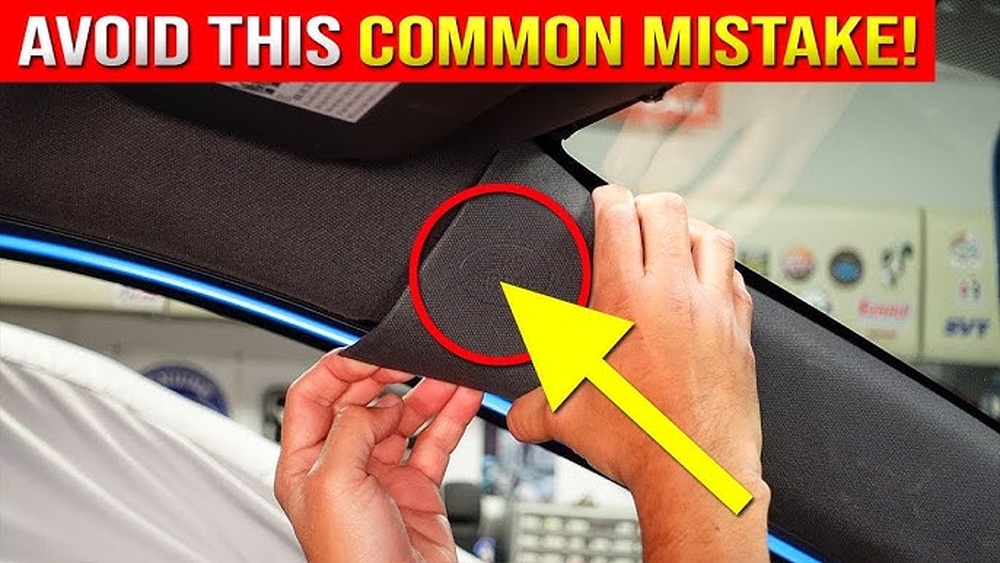
Instead, tuck the cable along the edge of the windshield, then down the passenger side pillar, under the glove box, and finally to the power source.
- Use a trim tool or your fingers to gently push the cable into gaps.
- Secure with cable clips if needed.
- Avoid sharp bends or pinching the wire.
Step 4: Connect Power
Using The 12v Socket
- Plug the dash cam’s power adapter into the cigarette lighter socket.
- Run the cable along your planned route.
- Connect the mini-USB or USB-C end to the dash cam.
- Start your car—does the camera power on? If yes, you’re set.
Using A Usb Port
- Plug the dash cam into the car’s USB port (if your camera supports USB power).
- Test if the dash cam works with the ignition on and off.
- If not, your USB port may not provide enough power—try the 12V adapter instead.
Using A Power Bank
- Charge the power bank fully.
- Connect the dash cam to the power bank using a compatible cable.
- Place the power bank in a secure spot (center console, glove box).
- Remember to recharge the power bank after each use.
Step 5: Test The Camera
Turn on the car and check:
- The dash cam powers up automatically.
- The view is not blocked (adjust the angle if needed).
- The cable does not interfere with airbags, controls, or your field of vision.
- Video is recording and saving to the SD card.
Tip: Test the setup on a short drive and review the footage for any issues.
Step 6: Secure And Hide The Cable
A neat installation looks professional and prevents distractions.
- Use small adhesive cable clips to hold wires in place.
- Hide excess cable under floor mats or in the glove box.
- Avoid running wires across the driver’s side, which can tangle feet or interfere with pedals.
If you plan to switch the dash cam between vehicles, leave enough slack for easy removal.
How To Power Rear Dash Cams (without Hardwiring)
Many dash cam kits include a rear camera for extra coverage. Powering the rear unit without hardwiring is possible, but it has challenges.
There are two main types:
- Wired rear cams: Connect to the front dash cam with a long cable.
- Wireless rear cams: Send video wirelessly to the front unit, but still need power.
Wired rear cams get power from the front camera, so you only need to run the video cable from front to back—no extra power source. Tuck the cable under the headliner and door seals for a clean look.
Wireless rear cams may need their own power. In this case, you can use the rear 12V socket (if available) or a small power bank.
Tip: Installing a rear camera is more work, especially for SUVs or large vehicles. Be patient and use extra cable clips to avoid loose wires.
Dash Cam Features That Work Best Without Hardwiring
Some dash cam features need constant power, which hardwiring provides. But there are many useful features you can enjoy with plug-in power:
- Automatic recording: Starts and stops with the engine.
- Loop recording: Overwrites old footage automatically.
- G-sensor: Saves clips when a collision is detected.
- HD/4K recording: High-quality video even without special power.
Parking mode (which records when the car is parked) usually requires hardwiring or a battery pack, but some dash cams have “event detection” that works for a short time after parking if you use a power bank.
Hiding Dash Cam Wires For A Tidy Setup
A common reason people avoid dash cams is the fear of messy wires. You can achieve a clean look without hardwiring.
Tips For Hiding Cables
- Tuck into headliner: Gently push the cable into the gap where the windshield meets the roof.
- Run down the A-pillar: Use a trim tool or a plastic card to push the wire behind the trim.
- Under the glove box: Route the cable under or behind the glove box for minimal visibility.
- Cable clips: Small adhesive clips keep wires out of sight along the dashboard edge.
- Avoid driver’s side: Place wires on the passenger side for safety.
Here’s a quick look at the most common wire-hiding paths:
| Wire Route | Visibility | Ease of Install | Safety |
|---|---|---|---|
| Headliner + A-pillar + Glove box | Low | Moderate | High |
| Across dashboard | High | Easy | Medium |
| Floor mats | Low | Easy | High |
A neat setup not only looks better but also keeps your dash cam secure and less likely to be noticed by thieves.
Common Mistakes To Avoid
Many first-time users make small errors that reduce dash cam performance or create safety issues. Watch out for these common mistakes:
- Blocking airbags: Never run wires near airbag covers (often marked “SRS”). In a crash, loose cables can become dangerous.
- Using low-quality SD cards: Cheap cards often fail or corrupt video files. Use a Class 10 or UHS-I/UHS-III SD card from a good brand.
- Ignoring dash cam angle: Make sure the lens is aimed level, not at the sky or dashboard.
- Forgetting to format the SD card: Many cameras need the card formatted in the menu before use.
- Leaving cables loose: Dangling wires can distract or interfere with controls.
- Not checking local laws: Some regions have rules about windshield mounts or video recording.
- Relying on USB power for dual cams: Many USB ports can’t power both front and rear cameras. The 12V socket is usually better.
When A Plug-in Dash Cam Is The Best Choice
Not everyone needs the advanced features that require hardwiring. In fact, a plug-in dash cam is best if you:
- Drive a leased or rental car.
- Plan to move the dash cam between vehicles.
- Want a quick, low-risk setup.
- Don’t need 24/7 parking surveillance.
- Want to avoid dealership or installation fees.
For most daily drivers, a plug-in dash cam offers excellent protection and flexibility.
Troubleshooting: Common Dash Cam Issues (non-hardwired)
If your dash cam isn’t working as expected, here’s how to solve the most frequent problems:
Dash Cam Won’t Power On
- Check the 12V socket fuse (in some cars, the socket has its own fuse).
- Try a different adapter or cable.
- Test the dash cam in another car to rule out device failure.
- If using a USB port, check if it provides enough power (some only give 0.5A, not enough for most dash cams).
Camera Keeps Turning Off
- Check the connection—loose plugs are common.
- For power banks, ensure they have enough charge and output.
- Some dash cams auto-off if they detect a hot car interior (overheat protection).
Video Not Saving
- Use a high-quality, compatible SD card.
- Format the card in the camera menu before first use.
- Replace SD cards every 12-18 months for reliability.
Poor Video Quality
- Clean the lens with a microfiber cloth.
- Adjust the angle to avoid dashboard reflections.
- Use higher resolution settings if available.
Recording Stops When Car Turns Off
- This is normal for most plug-in setups.
- For parking mode, consider a dash cam with a built-in battery or use a large power bank for short-term surveillance.
Safety Tips And Best Practices
Installing a dash cam without hardwiring is safe if you follow some simple guidelines:
- Always secure cables away from controls and airbags.
- Unplug the dash cam if you won’t use the car for several weeks (prevents battery drain).
- Keep your SD card updated—format regularly and replace if you notice errors.
- Remove the dash cam or hide it when parked in high-theft areas.
A well-installed dash cam should never distract you or interfere with safe driving.
Non-obvious Insights For First-time Installers
Many beginners miss these points:
- Test your dash cam before installing. Power it on, check the video, and format the SD card before hiding cables. It’s much easier to fix issues on your desk than after the camera is mounted.
- Cable length matters. Not all included cables are long enough for every car, especially SUVs or vans. Measure your needed route before starting, and buy an extension if necessary.
- Check for “always-on” sockets. Some cars keep the 12V or USB socket powered even when the engine is off, which can drain the battery if you leave the dash cam plugged in. Test with a phone charger to see if the socket stays live after turning off the car.
- Firmware updates. Many dash cams improve reliability and add features with updates. Check the manufacturer’s website before installation.
Following these tips can save you frustration and ensure your dash cam works when you need it most.
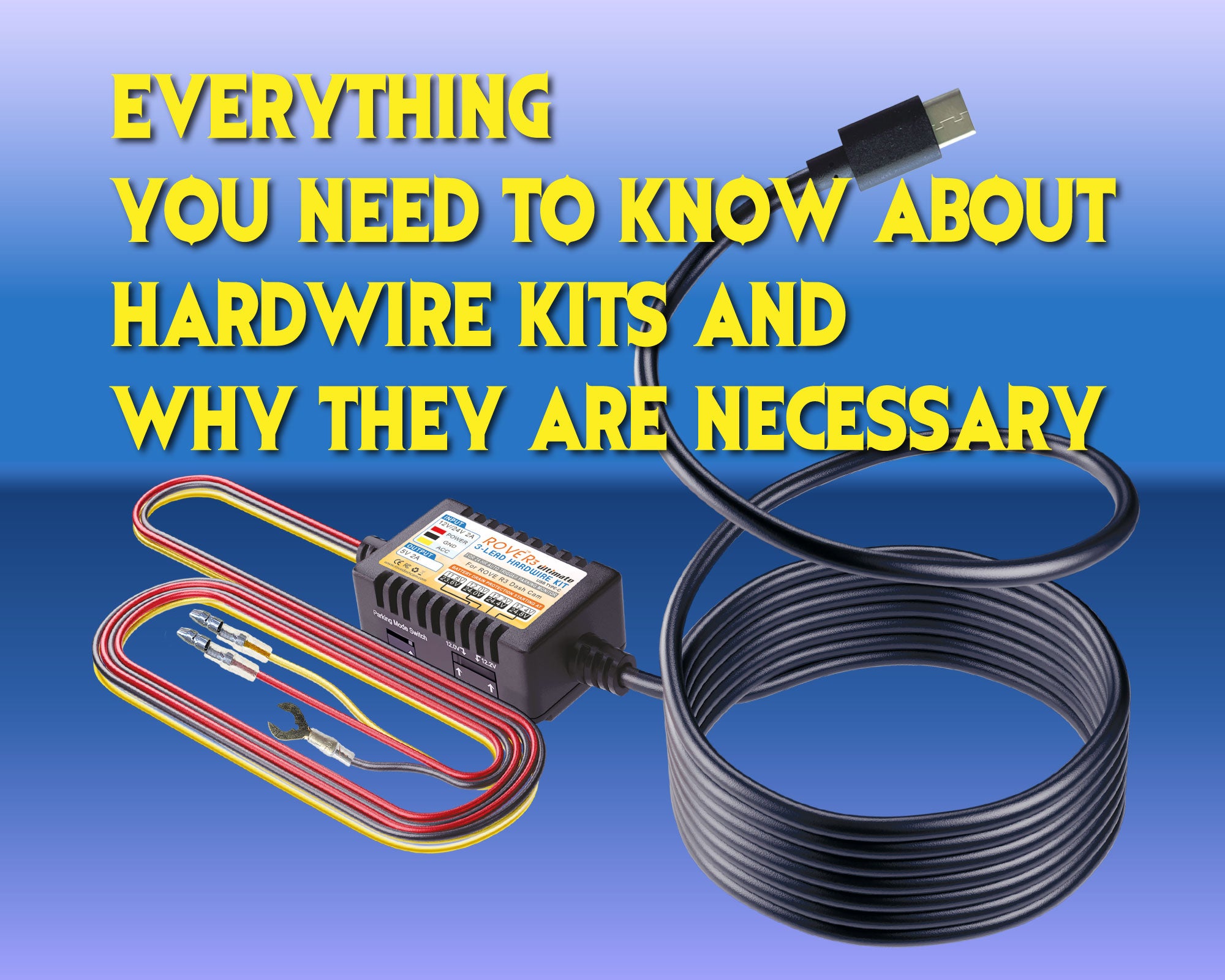
Credit: www.rovedashcam.com
Comparing Popular Dash Cams For Non-hardwired Install
Choosing the right dash cam makes a big difference, especially if you don’t want to hardwire. Here’s how leading models compare for non-hardwired use:
| Model | Power Options | Parking Mode Support | Cable Length | Rear Cam Option |
|---|---|---|---|---|
| Viofo A119 V3 | 12V, USB | Limited (power bank) | 13 ft | No |
| Nextbase 322GW | 12V, USB | No | 12 ft | Yes |
| Garmin Dash Cam Mini 2 | 12V, USB | No | 13 ft | No |
| Vantrue N2 Pro | 12V | No | 11.5 ft | No |
When shopping, look for models with long power cables, support for plug-in power, and reliable video storage.
Top Brands And Where To Buy
Major dash cam brands for non-hardwired installs include Viofo, Garmin, Nextbase, Vantrue, and Rexing. Buy from authorized retailers or the brand’s official website to get real warranty support.
For a detailed list of dash cam models and features, you can check the Wikipedia dash cam overview.
Cost And Value: What To Expect
A quality dash cam setup without hardwiring is affordable. Here’s what you can expect:
- Basic single-channel dash cam: $50–$120
- Dual-channel (front + rear): $100–$200
- Power bank (optional): $20–$40 for 10,000–20,000mAh
- Cable clips/tools: $5–$15
Professional installation is not required, so you save on labor costs. Most users can complete setup in 30–60 minutes.
Upgrading Or Removing Your Dash Cam
One advantage of a non-hardwired install is flexibility. If you want to upgrade your dash cam or remove it (for car return, sale, or rental), just:
- Unplug the power adapter.
- Remove the mount (if adhesive, use dental floss to cut through the sticky pad).
- Pull out the cable, starting from the dash cam and working back to the socket.
- Clean any adhesive residue with rubbing alcohol.
No holes, no wiring damage, and your car is back to factory condition.
Environmental Factors And Long-term Reliability
Dash cams are often exposed to sunlight, heat, and vibration. To maximize lifespan:
- Choose a camera rated for high temperatures (look for “supercapacitor” models instead of batteries).
- Park in the shade when possible.
- Remove the camera when not in use during extreme heat or cold.
- Format SD cards every month and replace them yearly.
A little maintenance keeps your dash cam reliable for years.
Frequently Asked Questions About Install a Dash Cam Without Hardwiring
Can I Use My Dash Cam While Parked Without Hardwiring?
Yes, but only for short periods. Use a high-capacity power bank to run the dash cam while parked. Most plug-in setups turn off when the car does. If you want 24/7 parking mode, hardwiring or a dedicated battery pack is required.
Will Plugging A Dash Cam Into The 12v Socket Drain My Car Battery?
Most cars cut power to the 12V socket when turned off, so the dash cam won’t drain the battery. Some cars keep the socket live—test yours by plugging in a phone charger after turning off the engine.
Is It Legal To Use A Dash Cam In All States Or Countries?
Dash cam laws vary. In the US, most states allow dash cams, but some restrict windshield mounts or audio recording. Always check local regulations before installing.
Can I Plug The Dash Cam Into A Usb Port Instead Of The Cigarette Lighter?
If your dash cam supports USB power (5V, 2A or higher), you can use a USB port. Some dash cams need more power than a standard port provides, so check the camera’s manual and test for reliable operation.
What Is The Best Dash Cam For Non-hardwired Installation?
Top choices include Viofo A119 V3, Nextbase 322GW, and Garmin Dash Cam Mini 2. Choose a model with long cables, reliable video, and easy mounting for plug-in use.
A dash cam is a smart investment for any driver. Installing one without hardwiring is simple, safe, and effective—no special tools or skills needed. With the right power method and a bit of care, you’ll have clear video evidence on every drive, more peace of mind, and the freedom to upgrade or remove your setup anytime.
Start with a quality dash cam, follow the steps above, and enjoy safer journeys wherever the road takes you.

Credit: www.amazon.com

I am Julian Drive, an automotive enthusiast and repair expert with over 7 years of hands-on experience in vehicle maintenance. At Carora Hub, I simplify complex car issues into easy-to-follow DIY guides to help drivers stay safe and save on repair costs.