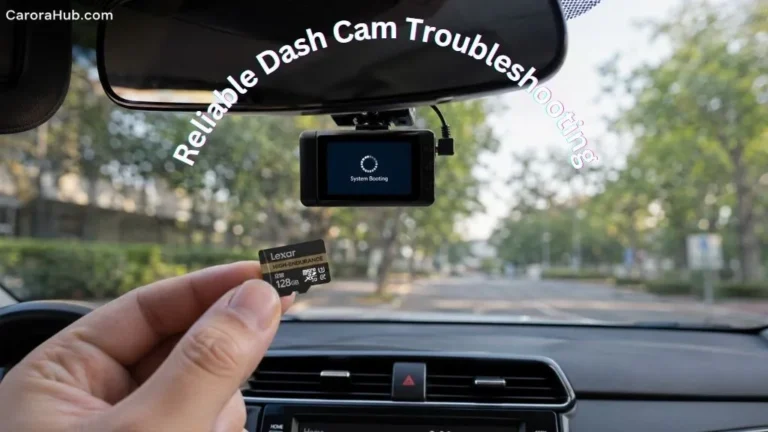
When you first buy a dash cam, one of the first things you need is a memory card. Most people already have a few SD cards lying around from old cameras or phones. The question comes up: Can I use a regular SD card in a dash cam? The short truth: yes for a short test, but no for long-term, dependable recording.
There are important differences between SD cards. Using the wrong one can cause lost footage, camera errors, or card failure at the worst moment. I’ve seen drivers lose crucial evidence this way. Knowing which SD card type works best for dash cams saves you time, money, and stress. It also makes sure your camera records reliably when it matters most.
This guide walks you through everything you need to know about using regular SD cards in dash cams. We’ll cover how SD cards work, what dash cams require, the risks of using ordinary cards, and exactly how to pick the right card. I also share real-world examples, technical details, and practical tips most beginners miss.
By the end, you’ll know how to avoid common mistakes and keep your dash cam working smoothly. You’ll be able to pick the right microSD card for dash cam use, understand speed classes, and manage card health so your footage is safe when you need it.
Understanding Sd Card Types
Before you decide if a regular SD card is suitable for your dash cam, it helps to know the main SD card types and what each one does well.
SD (Secure Digital) cards come in three basic physical sizes:
- Standard SD (used mostly in older and larger cameras)
- MiniSD (rare today)
- MicroSD (the most common for dash cams and phones)
Just as important as size are the speed class and the endurance rating. These two determine whether a card will cope with constant dash-cam recording.
Sd Card Speed Classes
SD cards show speed using symbols and numbers on the label. Common marks are:
- Class 2, 4, 6, 10: The number is the minimum write speed in MB/s. Class 10 = 10 MB/s.
- UHS Speed Classes (U1, U3): U1 = 10 MB/s, U3 = 30 MB/s. Useful for higher-resolution video.
- Video Speed Classes (V10, V30, V60, V90): Designed for sustained video recording, higher numbers for 4K/8K streams.
For dash cams, I recommend at least Class 10 or U1 for 1080p. If your camera records 2K or 4K, aim for U3/V30 or better. Faster cards reduce dropped frames and write errors.
Sd Card Endurance
Most people focus on speed, but endurance matters more for dash cams. Regular SD cards are made for photos and occasional video. Dash cams write data continuously and overwrite old files. That pattern wears flash memory quickly.
High Endurance SD cards are built for continuous writes. They last longer and are much less likely to fail in a dash cam. These cards are often marketed for “dash cam,” “surveillance,” or “security” use.
Card Capacity
Capacity affects how many hours of footage your card stores before the dash cam loops and overwrites old files. Dash cams support cards from 8GB up to 512GB or more, depending on the model. Check your camera manual for the maximum supported size.
Larger cards give you more hours of footage stored. That can be useful if you want several days of video retained before overwriting begins.
Table: Sd Card Types And Features
Here’s a quick comparison of SD card types you might find:
| SD Card Type | Speed Class | Endurance | Best Use |
|---|---|---|---|
| Standard SD | Class 2-10 | Low | Cameras, old devices |
| UHS-I U1 microSD | U1/Class 10 | Medium | Phones, basic dash cams |
| High Endurance microSD | U1/U3/V30 | High | Dash cams, security cams |
| Ultra High Speed U3/V30+ | U3/V30-V90 | Medium | 4K/8K video, drones |
If you’re fixing storage errors, also read Why Does My Dash Cam Keep Saying Memory Card Full to understand common card issues first.
How Flash Memory Ages (Wear, Cells, and Types)
To pick the right card, it helps to know how flash memory wears out. Flash uses memory cells. Each cell can be written and erased a limited number of times. Cards use different cell types:
- SLC (Single-Level Cell): Most durable. Rare and expensive.
- MLC (Multi-Level Cell): Balanced durability and cost.
- TLC (Triple-Level Cell): Common in consumer cards. Lower endurance than SLC/MLC.
- QLC (Quad-Level Cell): Higher capacity, lower endurance.
High endurance cards usually use better flash types and stronger error correction. Manufacturers also add wear-leveling firmware and power-loss protection to reduce file corruption during sudden power cuts.
What Dash Cams Really Need
Dash cams are not like point-and-shoot cameras. They record continuously and often at high resolution. That puts special demands on SD cards.
- Continuous write cycles: Dash cams write new data every second, sometimes 24/7.
- Loop recording: Old files are erased and replaced with new footage on a rolling basis.
- Heat and cold: Cars can get very hot or cold. Temperature swings stress the card.
- Sudden power loss: Cars turn off abruptly. The card must handle interrupted writes without corrupting files.
For all these reasons, not every SD card is up to the job. I recommend choosing cards built for constant video recording, not generic camera cards.
Minimum Requirements
- Speed: At least Class 10/U1 for 1080p. Use U3/V30 for 2K/4K.
- Endurance: Cards labeled “High Endurance” or “Industrial Grade.”
- Size: At least 32GB for light daily use; 64GB–128GB is better for HD and multi-camera setups.
Many dash cams will reject cards that don’t meet these basic standards. When a dash cam shows “Card Error,” it might mean the card’s speed or endurance is insufficient.
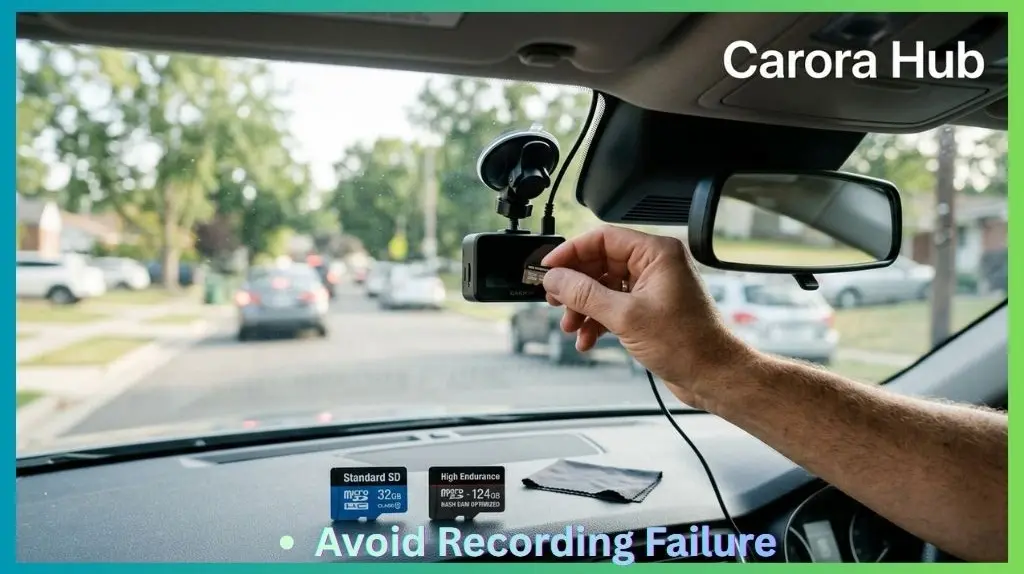
The Risks Of Using A Regular Sd Card In A Dash Cam
It’s tempting to use a spare SD card. But here are the real risks:
1. Early Card Failure
Regular SD cards are built for light use—snapshots and occasional video. In a dash cam, a normal card may fail after weeks or months. When it fails, your camera may stop recording or lose files without warning.
Non-obvious insight: A card can look fine most of the time. You only find the fault when you need footage after an accident. I’ve seen exactly that happen to friends and clients.
2. Lost Or Corrupted Video Files
If a card can’t keep up with the camera, you might see:
- Missing video clips
- “File error” warnings on the dash cam
- Blank or unreadable files
Cheaper, slower SD cards are more likely to produce corrupted files. That makes them risky if you depend on footage for insurance or legal needs.
3. Overheating And Data Loss
Cars can get extremely hot, especially in summer. Regular SD cards may overheat and stop working—sometimes permanently. High endurance cards handle heat better and include better thermal tolerance.
4. Compatibility Issues
Some dash cams won’t accept specific SD cards. You may see messages like “Card Error” or “Please Format Card,” even with a brand-new card. Firmware and file system support matter here.
5. Shorter Card Life
A typical regular SD card might last roughly 500 to 1,500 write cycles. High endurance cards often survive 5,000 to 10,000+ cycles, which translates to years of continuous dash-cam use.
Practical tip: The small extra cost of a high-endurance card can save you far more in lost footage and stress. I prefer paying a little more for peace of mind.
When A Regular Sd Card Might Work
There are a few situations where a regular SD card can be acceptable:
- Testing the dash cam: For setup and brief testing, a spare regular card is fine.
- Low-usage drivers: If you drive very rarely and only record short trips, a standard card may last longer.
- Older or low-res dash cams: Cameras that record at 720p and low bitrates place less stress on the card.
Even in these cases, a high endurance card is safer. If your dash cam records evidence for insurance or security, I always recommend a card built for continuous recording. See also Does a dash cam record when the car is off?
What Makes High Endurance Sd Cards Different?
High endurance SD cards use better flash types (often MLC or improved TLC) and stronger internal firmware. They’re built to handle constant writes and frequent erases. Manufacturers also test them for temperature, shock, and power-loss resistance.
Key features that set them apart:
- Longer lifespan under constant recording
- Better error correction to reduce corrupted files
- Stronger physical and thermal tolerance
- Consistent write speed after many hours of use
Brands to look for include SanDisk High Endurance, Samsung PRO Endurance, and Kingston High Endurance. These are widely recommended for dash cams and security cameras.
Table: Regular Vs High Endurance Sd Cards
A side-by-side view shows the main differences:
| Feature | Regular SD Card | High Endurance SD Card |
|---|---|---|
| Write Cycles | 500 – 1,500 | 5,000 – 10,000+ |
| Heat Resistance | 0°C to 60°C | -25°C to 85°C |
| Write Speed | Inconsistent over time | Consistent, reliable |
| Data Loss Risk | Higher | Lower |
| Price | Lower | 10–30% higher |
Real-world Examples And Case Studies
Example 1: Dash Cam Footage Missing After Accident
A driver used a regular 32GB SD card in their dash cam for two months with no obvious issues. After an accident, they checked the footage and found the last two days’ videos were corrupted. The SD card had quietly failed. The insurance claim became harder to prove without that footage.
Example 2: Sd Card Overheating In Summer
A user in Texas reported their regular SD card would stop recording every afternoon when the car heated up. Switching to a high endurance card fixed the problem. The dash cam then recorded reliably even during 100°F days.
Example 3: Loop Recording Glitch
A dash cam using a standard SD card started showing “memory full” errors after a few weeks. The card could not handle the constant overwriting, so files were not deleted correctly. Upgrading to a high endurance card solved the issue and restored stable loop recording.
Non-obvious insight: Even if your dash cam seems to work with a regular card, it may already be degrading. You only notice when you review the files after an incident.
How To Choose The Right Sd Card For Your Dash Cam
Picking the correct SD card is more than buying the biggest or the fastest. Use this checklist to choose the right card for your dash cam:
1. Check Your Dash Cam’s Manual
Always start with your dash cam’s instructions. They’ll tell you:
- Maximum supported card size (for example, up to 128GB or 256GB)
- Recommended speed class
- Supported file systems (for example, FAT32, exFAT)
2. Choose High Endurance Or Industrial Cards
Look for cards labeled High Endurance, Endurance, or Industrial Grade. These are designed for dash cams, security cams, and other continuous-recording devices.
3. Pick The Right Speed
For Full HD (1080p): Class 10/U1 is usually enough. For 2K or 4K video: U3/V30 or higher is safer. Avoid buying a card that’s too slow — it can cause dropped frames and file errors.
Practical tip: If your dash cam supports U3 but your budget is tight, pick a high endurance U1 card only for short-term testing. For daily use, invest in U3/V30 endurance options.
4. Select The Right Size
- 32GB: About 2–4 hours of 1080p video (before looping/overwriting)
- 64GB: 4–8 hours
- 128GB: 8–16 hours
- 256GB+: 16–32+ hours
Choose larger cards if you want more days of footage stored before old files are erased. Larger capacity spreads write cycles across more cells, which can increase lifespan.
5. Buy From Trusted Brands
Counterfeit SD cards are common online. Stick with brands like SanDisk, Samsung, Kingston, Transcend, and buy from official stores or authorized resellers. Counterfeits can report false speeds and fail quickly.
6. Avoid “ultra High Speed” Cards—if Not Needed
Super-fast cards (V60/V90) are often overkill for dash cams. They’re made for professional cameras and 8K workflows. Most dash cams can’t use their full speed and you’ll pay extra for little real benefit.
7. Update Dash Cam Firmware
Firmware updates can improve compatibility with newer SD card types and file systems. Check your dash cam manufacturer’s website for updates and install them when recommended.
Table: Sd Card Recommendations By Dash Cam Resolution
This quick guide matches card types to video quality:
| Dash Cam Resolution | Min. Speed Class | Suggested Card Type | Card Size |
|---|---|---|---|
| 720p | Class 10 | High Endurance/U1 | 32GB-64GB |
| 1080p (Full HD) | Class 10/U1 | High Endurance/U1 | 64GB-128GB |
| 2K/1440p | U3/V30 | High Endurance/U3 | 128GB-256GB |
| 4K UHD | U3/V30 or higher | High Endurance/U3 | 128GB-512GB |
Quick Shopping Checklist
Before you buy, check these items on the product page or package:
- “High Endurance” or “Surveillance / Dash Cam” on the label.
- Speed class (U1, U3, V30, etc.).
- Supported operating temperature range.
- Manufacturer warranty and continuous recording hours if provided.
- Buy from an authorized retailer to avoid counterfeits.
Formatting And Maintaining Your Sd Card
Even with the right SD card, proper maintenance matters. A well-maintained card lasts longer and reduces the risk of data loss.
Formatting The Card
- Format regularly: Format the card in the dash cam every 1–2 months. This clears leftover files and reduces errors.
- Use the dash cam’s format option: The camera writes the correct file system and structure. Avoid formatting on the computer unless the dash cam manual recommends it.
Monitoring Card Health
Some dash cams show “Card Error” warnings when a card is failing. If you see repeated errors, replace the card immediately. Don’t wait until you need footage.
Non-obvious tip: Some higher-end dash cams keep a log or event file that records write failures and errors. Check your manual to see if yours creates such logs. Reviewing logs can reveal a card degrading before it fails completely.
Replace Cards Periodically
Even high endurance cards wear out. If you use your dash cam daily, plan to replace the card every 1–2 years for maximum reliability. If you notice corruption or frequent errors, replace it sooner.
Signs Your SD Card Is Failing
Watch for these warning signs:
- Frequent “Card Error” or “Please Format” messages.
- Missing or unreadable clips after normal use.
- Unexpected app or camera crashes during playback.
- Camera shows a drastically reduced available recording time.
If you see any of these, back up usable clips immediately and swap the card for a fresh high-endurance one.
Common Myths About Sd Cards In Dash Cams
There’s a lot of confusion. Let’s clear up common myths:
Myth 1: “any Sd Card Will Do”
Fact: Most regular SD cards will fail quickly under constant dash cam use. Use cards designed for continuous recording.
Myth 2: “bigger Is Always Better”
Fact: Some dash cams can’t use cards larger than 128GB or 256GB. Check the manual before buying a large card.
Myth 3: “expensive Cards Are Always Better”
Fact: Ultra-fast “pro” cards may not be better for constant writing. A purpose-built high endurance card is often more reliable than a super-expensive pro card for dash cams.
Myth 4: “i’ll Notice If My Card Is Failing”
Fact: Many SD cards fail silently. You may not notice until you try to view footage after an event.
Myth 5: “formatting Isn’t Necessary”
Fact: Regular formatting in the dash cam prevents file fragmentation and corruption and extends card life. It’s a simple, effective habit.
Can I Use A Regular Sd Card In A Dash Cam? The Final Verdict
So, can you use a regular SD card in a dash cam? Technically yes—for a short time or for testing. For reliable, long-term use, the answer is no. Regular SD cards are not built to survive the constant writing, heat, and physical stress inside a car.
A regular card may work for a few days or weeks, but most will fail, often without warning. If your dash cam footage is important for insurance, accidents, or security, choose a high endurance card. The small extra cost protects your files and gives true peace of mind.
If you want to dive deeper into SD card specs, the official SD Association website is a trustworthy source with technical details and standards.
FAQs Of Can I Use a Regular SD Card in a Dash Cam
What Happens If I Use A Regular Sd Card In My Dash Cam?
A regular SD card may work at first, but it will wear out quickly due to constant recording and overwriting. This often leads to lost or corrupted video files, recording errors, or complete card failure. You might not know there’s a problem until you check your footage, possibly after an important event.
How Do I Know If My Sd Card Is High Endurance?
High endurance cards usually say “High Endurance,” “Endurance,” or “Industrial” on the label or packaging. You can also check the manufacturer’s website for technical details. They’re often recommended specifically for dash cams or security cameras.
Can I Use A 256gb Or 512gb Card In My Dash Cam?
It depends on your dash cam model. Some support cards up to 128GB, while newer ones handle 256GB or 512GB. Always check your dash cam’s manual for the maximum supported size. Using a card that’s too large may cause errors or may not be recognized.
Do I Need To Format My Sd Card In The Dash Cam?
Yes. Formatting your card in the dash cam ensures it uses the correct file system and structure. It’s good practice to format the card monthly, or whenever you see errors, to prevent file corruption and extend the card’s life.
How Long Will A High Endurance Sd Card Last In A Dash Cam?
A high endurance SD card can last from 2 to 5 years with daily use, depending on card quality, capacity, and how much you record. Larger cards last longer because they spread out the writing over more memory cells. Still, it’s wise to replace the card every 1-2 years for maximum reliability.
Choosing the right SD card for your dash cam is one of the simplest ways to protect your video files and avoid frustration. Don’t risk losing important footage—invest in a high endurance card, maintain it well, and your dash cam will serve you faithfully for years.

I am Julian Drive, an automotive enthusiast and repair expert with over 7 years of hands-on experience in vehicle maintenance. At Carora Hub, I simplify complex car issues into easy-to-follow DIY guides to help drivers stay safe and save on repair costs.