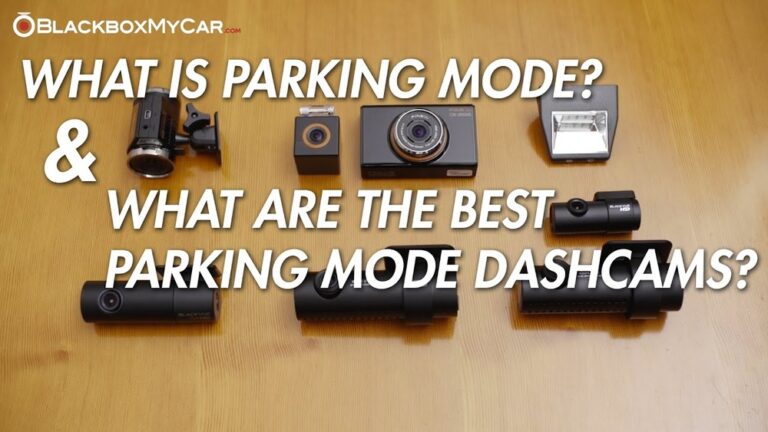
A dash cam is a small camera that sits on your car’s windshield or dashboard, quietly recording what happens on the road. Many drivers use dash cams for safety, proof in accidents, and even to watch parked vehicles. But a common question is: Does a dash cam record when the car is off? The short answer is: sometimes. The full answer depends on the dash cam model, how it’s powered, and which parking features it supports. If you want 24/7 protection, you need to know when and how your dash cam records. I’ll walk you through what I’ve learned from testing gear and helping friends install systems.
In this guide, you’ll get clear, practical info on dash cam recording modes, what happens when the engine is off, and what you need to make your dash cam watch your car while it’s parked. I also cover power options, storage needs, real-world setup tips, and common pitfalls. Read this like a chat with someone who’s done this before.
By the end, you’ll know what to expect from your dash cam — even after you walk away and lock the doors.
How Dash Cams Work
Dash cams record video, and sometimes audio, from inside and around your car. Most standard units start recording when the car powers up. They draw power from the 12V cigarette lighter or an accessory feed. Basic models only run while the engine or ignition is on. Newer models add advanced features like parking mode, motion detection, buffered recording, and cloud connectivity.
I use short drives to test features. I found older, cheaper cams stop as soon as the ignition goes off. Better models can keep working if you give them a steady power source.
Key Recording Modes
- Continuous Recording: The camera records non-stop while it has power. This is the default mode for driving.
- Event Recording: The camera saves clips when it senses a sudden change — a hard brake, an impact, or abrupt steering.
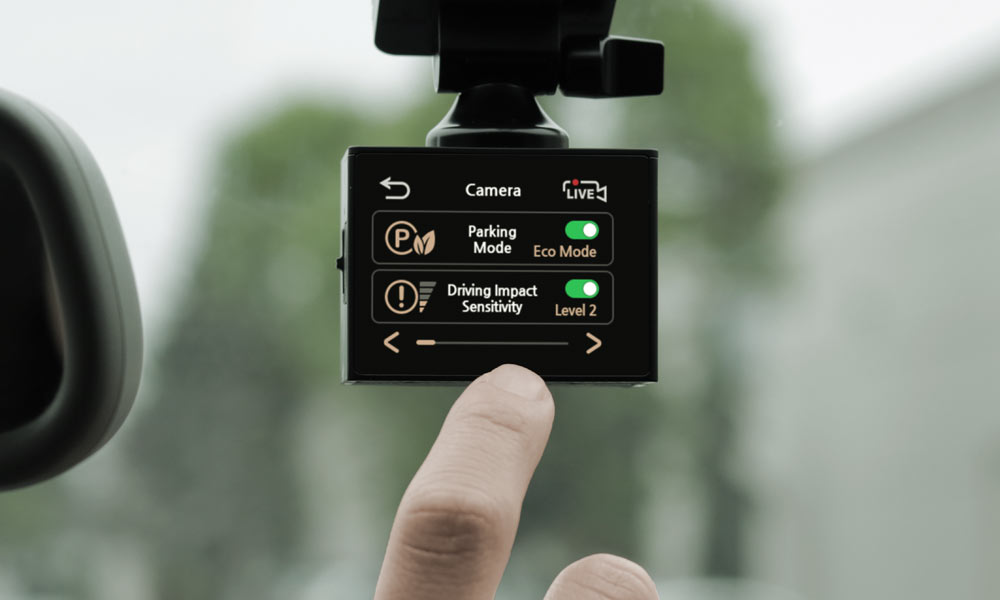
- Parking Mode: This special mode records when the car is off. It uses motion sensors, impact (G-sensor), or low-frame-rate time-lapses to capture activity around a parked car.
Most questions about recording when the car is off focus on parking mode. Below I explain how parking mode works and what you need to run it reliably.
Power Sources: The Key Factor
A dash cam cannot record without power. When the car is off, the 12V cigarette lighter often loses power. That means many dash cams stop recording at shutdown. But you can keep a camera running while parked. The trick is choosing the right power method.
Common Power Options
| Power Source | Works When Car Is Off? | Notes |
|---|---|---|
| 12V Cigarette Lighter | No | Stops when ignition is off in most cars |
| Hardwiring Kit | Yes | Connects to car fuse box for constant power |
| OBD-II Port | Sometimes | Some OBD adapters supply power after shutdown |
| External Battery Pack | Yes | Separate battery just for the dash cam |
| Internal Dash Cam Battery | Limited | Usually lasts minutes, not hours |
I’ve used hardwires and external battery packs. Hardwiring is neat and unobtrusive. Battery packs are plug-and-play and avoid any changes to the car’s wiring.
Hardwiring Your Dash Cam
A hardwiring kit taps into the car’s fuse box for a constant 12V feed. This gives the cam power even when the engine is off. Hardwiring is the most reliable way to enable parking mode. Many kits include low-voltage cutoff to protect the car battery. Installation can be DIY if you are comfortable with cars. Otherwise, get a pro to avoid blown fuses or wiring mistakes.
What I tell installers: pick an ignition-switched fuse for the camera’s “on” logic and a constant fuse for parking mode power. Ask for a neat tuck of the wire along trim panels.
External Battery Packs
An external dash cam battery powers only the camera. These units plug into the camera and sit in the car. They can run a cam for hours or longer, depending on capacity. A big benefit is zero drain on the car’s starter battery. I’ve used a 7–10Ah pack that kept parking mode working all weekend. They cost more up front but save stress.
OBD-II Port Adapters
Some dash cams use the OBD-II port. Some OBD power adapters stay live when the car is off. But this varies by car model and OEM wiring. Check your vehicle manual or test the port with a multimeter. OBD is easy to install but may not give the steady power or low-voltage protection you want.
Internal Dash Cam Battery
Most dash cams have a small internal battery or capacitor. Its job is to close and save files safely when power cuts. It is not meant for long recording. Expect a few seconds or minutes of life, enough to finish writing the last clip. If a dash cam advertises long parked recording on its internal battery, be skeptical and test it.
Learn More: https://carorahub.com/how-to-clean-car-battery-terminals-with-baking-soda/ (keeps the battery healthy, which matters if you hardwire a cam).
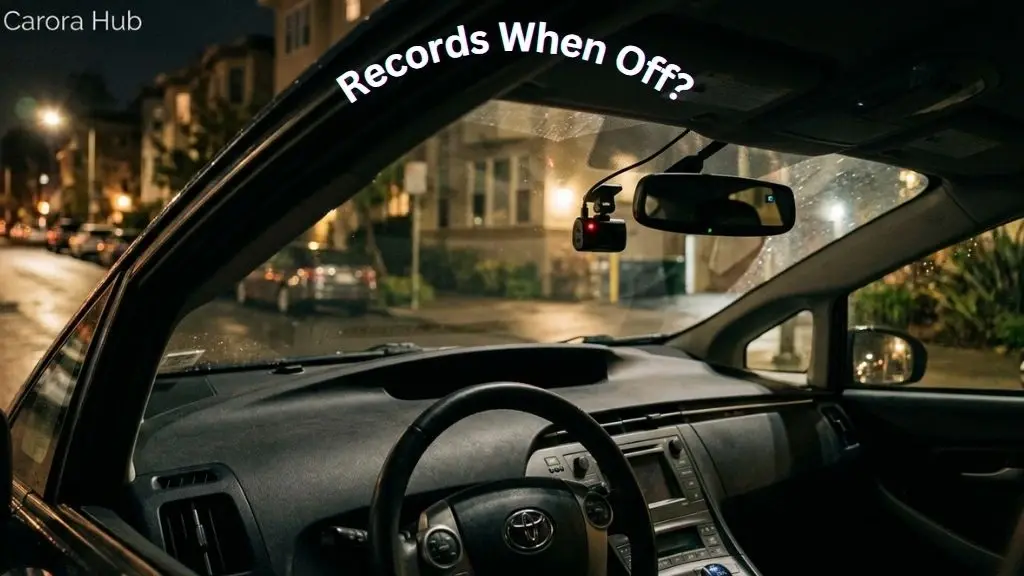
A dash cam in parking mode can continue recording after shutdown if powered by hardwire, battery pack, or supported internal battery.
Parking Mode Explained
Parking mode lets a dash cam watch your car after you walk away. It is useful for:
- Hit-and-run accidents in parking lots
- Vandalism or attempted theft
- Door dings
- Suspicious activity near your vehicle
There are several parking modes. Pick the one that fits your use case and power setup.
Types Of Parking Mode
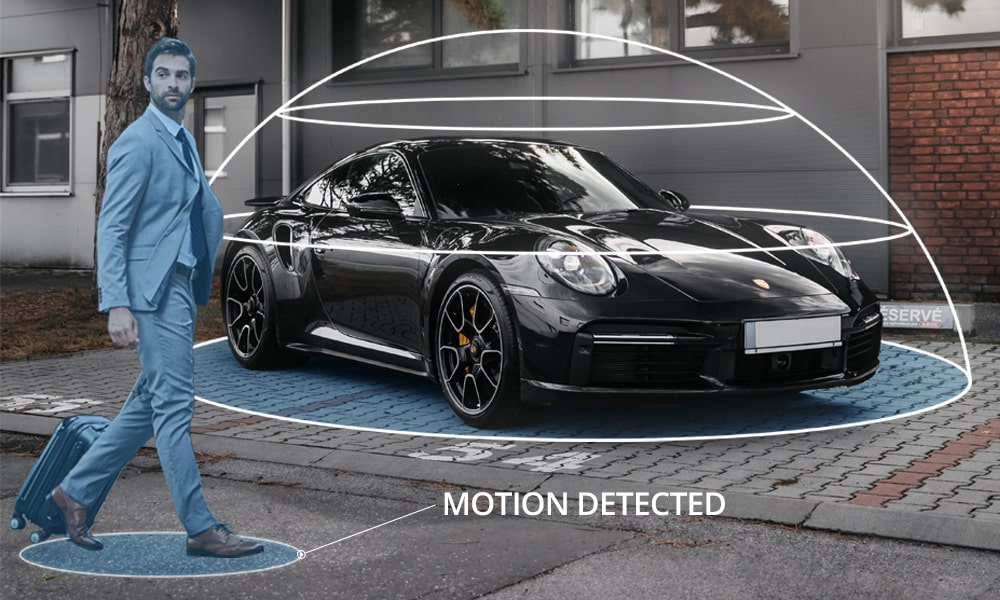
- Motion Detection Mode: The camera “sleeps” and wakes when it sees movement. It records a short clip.
- Impact Detection Mode: The dash cam wakes when it senses a shock or vibration.
- Time-Lapse Mode: The camera records at a low frame rate (for example, 1 fps). This captures long spans with low storage use.
- Buffered Parking Mode: The cam keeps a short rolling buffer. When triggered, it saves footage from a few seconds before and after the event.
I often use buffered mode with motion detection. That captures the lead-up to an event. It helps when a car reverses into yours and the initial motion matters.
Comparison Of Parking Modes
| Parking Mode Type | How It Works | Best For | Battery Usage |
|---|---|---|---|
| Motion Detection | Records when movement is seen | General surveillance | Low |
| Impact Detection | Records on shock/vibration | Hit-and-run, vandalism | Very Low |
| Time-Lapse | Continuous, low frame rate | Long-term parking | Medium |
| Buffered Mode | Captures before/after trigger | Detailed incidents | Medium |
What You Need For Parking Mode
To use parking mode you usually need:
- A dash cam with parking mode built-in
- Hardwire kit or external battery for constant power
- Large, high-endurance memory card (32GB+; 64GB or 128GB better for heavy use)
- Proper settings: sensitivity, buffer length, and power cut thresholds
Some dash cams have “smart” parking mode. They cut recording if battery voltage falls or reduce activity at night. These features help balance protection and battery life.
Will My Dash Cam Drain The Car Battery?
This is a top worry. A dash cam that runs all the time draws current. Over long periods it can drain the battery. This is more likely if you don’t drive often.
How Much Power Does A Dash Cam Use?
Most dash cams draw around 0.2 to 0.5 amps per hour. A typical car battery is about 48–60 amp-hours. If a cam runs at 0.3A for 8 hours, it uses ~2.4 amp-hours. That’s small compared to the battery, but repeated nights or a weak battery can add up.
I once helped a friend who had a drained battery after keeping parking mode active all weekend. The fix was a hardwire kit with a low-voltage cutoff.
Battery Discharge Protection
Many hardwire kits include battery discharge protection. This cuts power to the cam if the car battery voltage falls below a safe threshold. Set it so the car can still start. This feature is a must if you plan long-term parking recording.
Tips To Avoid Battery Drain
- Use a hardwire kit with low-voltage protection
- Choose motion or impact detection instead of continuous recording
- Use an external battery pack for heavy parking use
- Check your dash cam’s power draw in the manual or spec sheet
- Reduce motion sensitivity to avoid false triggers
Real-world Scenarios: What To Expect
Here are common setups and how they behave when the car is off.
Scenario 1: Basic Dash Cam, No Parking Mode
You have a standard dash cam plugged into the cigarette lighter. When you turn off the car, the dash cam shuts down. It won’t record anything while parked.
Scenario 2: Dash Cam With Parking Mode, No Hardwiring
Your dash cam supports parking mode but is not hardwired. Unless your car’s outlet stays powered after ignition (rare), the dash cam won’t record while parked.
Scenario 3: Dash Cam With Hardwiring Kit
Your dash cam is hardwired to the fuse box. It stays powered when the car is off. Now the cam can record using motion, impact, or time-lapse parking mode. It will also use battery cut-off if set.
Scenario 4: Dash Cam With External Battery
You use a dedicated dash cam battery pack. The dash cam runs on the pack when the car is off and switches to car power when driving. Parking mode works for hours or even a day, depending on the pack.
Scenario 5: Accident Happens While Parked
If your dash cam is set up with parking mode and power, it will wake and record if someone bumps your car or walks close. Without parking mode or the right power source, you’ll have no footage.
Installing A Dash Cam For Parked Recording
Setting up parked recording takes some thought. Here’s a step-by-step overview I give to friends who ask me to help.
1. Choose A Dash Cam With Parking Mode
Make sure the dash cam supports parking mode. Popular brands like Thinkware, BlackVue, and Viofo offer robust parking features. Read specs for buffered recording, low-voltage settings, and dual-channel support if you want rear coverage.
2. Select A Power Supply Method
Decide between hardwiring and an external battery. Hardwiring is cheaper and cleaner. Battery packs avoid wiring and protect the main battery but cost more.
3. Install The Dash Cam
Mount the dash cam on your windshield, usually behind the rearview mirror for a clean view.
- Connect the power supply.
- For hardwiring: wire to the fuse box and ground properly.
- For a battery pack: connect the camera to the pack, and the pack to the car.
- Configure parking mode in the camera menu.
I always tuck wires under the headliner and A-pillar trim. It looks cleaner and reduces cable strain.
6. Test The System
Turn off the car. Check if the dash cam enters parking mode. Move near the car or tap the body to see if it records. Test a few trigger types (motion, impact) to confirm settings.
7. Check The Memory Card
Use a large, high-endurance microSD card (at least 32GB; 64–128GB is better for heavy parking mode). Buy cards labeled for continuous video or surveillance use (U3, V30, high-endurance).
8. Review Footage Regularly
Check recordings every few days to ensure the dash cam is working and the memory card is healthy. This avoids surprises when you need footage.
What About Wifi And Cloud Dash Cams?
Modern dash cams sometimes offer WiFi and cloud features. These help with remote access and backups.
- WiFi lets you download footage to your phone when near the car. It does not help with power or parking mode.
- Cloud dash cams (like BlackVue Cloud) can send alerts or short clips to your phone during an event. They still need a constant power source to work when the car is off. Cloud services may add a subscription fee.
Cloud features add convenience and off-site backups. But remember: they don’t replace a reliable power plan.
Storage Needs For Recording When Parked
Recording while parked generates more footage. Plan storage and manage settings.
- Memory card size: Larger cards store more clips. For heavy parking mode, 128GB or higher is common.
- Video quality: Higher resolutions like 1080p or 4K use more space. Balance quality with storage.
- Loop recording: Most dash cams record in a loop, overwriting the oldest files when full.
- Event protection: Locked event clips are not overwritten. If the card fills with protected files, recording can stop.
Use high-endurance microSD cards. They are built for constant writing and last longer than standard cards.
Credit: www.momentocam.com
Common Mistakes When Using Dash Cams For Parked Recording
Many drivers miss small but important details. Avoid these common errors.
1. Choosing A Dash Cam Without Parking Mode
Not all dash cams support parking features. Always check specs before buying.
2. Ignoring Power Supply Needs
Parking mode is useless without power when the car is off. Plan for hardwiring or an external battery.
3. Not Setting Up Low-voltage Protection
Running down your car battery can leave you stranded. Use a hardwire kit with cutoff protection.
4. Using A Small Or Low-quality Memory Card
Cheap cards fail quickly. Use a high-endurance card with enough storage.
5. Forgetting To Check Local Laws
Some areas have rules about recording audio or pointing cameras outside the car. Always follow local regulations.
6. Not Testing The Setup
Don’t assume parking mode works — test it before you need it.
Advanced Features In Modern Dash Cams
Some modern dash cams include advanced tools for parked recording:
- Buffered recording: Saves several seconds before and after an event.
- Dual-channel recording: Records front and rear views simultaneously.
- GPS tagging: Tags location and speed for incident context.
- Remote notifications: Sends alerts to your phone via cloud services.
These features add value. But they can increase power draw and storage use. Balance features with your power plan and card size.
Credit: www.momentocam.com
Dash Cam Models That Excel At Parked Recording
If you want a dash cam that handles parked recording well, consider these models:
- BlackVue DR900X Series: 4K video, strong parking mode, and cloud features.
- Thinkware U1000: High-resolution, advanced parking mode, built-in voltage protection.
- Viofo A129 Pro Duo: Dual-channel, time-lapse parking mode, solid price-to-performance.
- Garmin Dash Cam Mini 2: Compact, simple parking mode when hardwired.
Each model has pros and cons. Match features to your budget, power plan, and parking environment.
Real User Experiences And Insights
From talking to other users and testing gear, here’s what I’ve seen:
- Parking lot accidents: A hardwired dash cam on motion detection once caught a hit-and-run at a shopping center.
- Theft prevention: Visible cameras can deter break-ins in many cases.
- Battery issues: Some drivers drained their battery by running parking mode without low-voltage protection.
- False triggers: Busy streets cause many motion clips. Adjust sensitivity to reduce noise.
A practical tip: tune motion sensitivity and buffer length. That cuts false clips and saves space.
How Weather And Temperature Affect Parked Recording
Weather matters. Extreme temps can harm recording performance.
- High heat: Direct sun can overheat a cam, causing shutdowns or damage. Choose models rated for high heat.
- Cold weather: Capacitor-based dash cams handle cold better than some battery-based models.
- Moisture: Condensation or leaks can ruin wiring. Seal and protect cables, and use proper routing.
Check the dash cam’s operating temperature range in the manual. Avoid leaving a sensitive device in extreme conditions when possible.
Is It Worth Recording When Parked?
If you park in public lots, on busy streets, or in high-risk areas, parking mode is worth it. Reasons I recommend it:
- Peace of mind: Footage helps you sleep better after leaving the car.
- Proof for insurance: Video can speed up claims and show fault.
- Deterrent effect: A visible cam can stop vandalism or theft.
But it comes with costs. You may need a hardwire kit, installation, and a good microSD card. Factor that into your decision.
Comparing Dash Cam Recording When Driving Vs. Parked
Here’s a quick comparison to show the differences:
| Feature | Recording While Driving | Recording While Parked |
|---|---|---|
| Power Source | Car ignition | Hardwire kit / battery pack |
| Recording Mode | Continuous / Event | Parking mode (motion/impact/time-lapse) |
| Battery Drain Risk | Low | Medium (needs protection) |
| Storage Needs | Medium | High (more clips) |
| Setup Complexity | Easy | Advanced (needs setup) |
Parked recording needs planning. It can protect your car but requires the right setup.
Legal And Privacy Issues
Always check local laws about dash cams. Some rules to watch for:
- Recording audio: Some places require consent from all parties to record audio.
- Pointing cameras outside: Public recording may have limits.
- Data privacy: Storing and sharing footage can be regulated.
More details: https://en.wikipedia.org/wiki/Dashcam
Summary: Key Takeaways
- Most dash cams do not record when the car is off unless they have parking mode and a constant power source.
- Parking mode lets dash cams record incidents while parked. It needs a hardwire kit or an external battery.
- Use a high-quality, high-endurance memory card. Set up low-voltage protection to avoid draining the car battery.
- Tune parking mode sensitivity to balance security and storage.
- Pick a dash cam that fits your needs and legal rules in your area.
With the right setup, your dash cam can watch your car even when you’re away.
With this knowledge, you can choose the right dash cam, set it up correctly, and keep your car protected whether you are driving or parked.
FAQs About Does a Dash Cam Record When the Car Is Off
No. Only dash cams with parking mode and a constant power source can record when the car is off. Most dash cams turn off with the engine unless you use a hardwire kit or external battery.
It depends on power source and settings. With an external battery pack some dash cams record for 24–48 hours. Hardwired dash cams depend on your car battery and the voltage cutoff point you set.
If not set up correctly, yes. A dash cam can drain your battery over time. Always use a hardwire kit with low-voltage protection or an external battery to avoid being stranded.
If you are comfortable with car electrics and fuse boxes, you can hardwire a dash cam yourself. Otherwise, get a professional installer. It’s safer and avoids wiring mistakes.
Laws vary. In some places, recording in public or capturing audio may have restrictions. Always check local regulations before using dash cam parking mode.

I am Julian Drive, an automotive enthusiast and repair expert with over 7 years of hands-on experience in vehicle maintenance. At Carora Hub, I simplify complex car issues into easy-to-follow DIY guides to help drivers stay safe and save on repair costs.