Have you ever worried that your dash cam might be quietly draining your car’s battery when you’re not around? You’re not alone.
Many drivers wonder if leaving their dash cam on while parked could leave them stranded with a dead battery. The truth might surprise you—and knowing it can save you a lot of hassle and unexpected costs. I’ve tested and monitored several dash cam setups over the years, so I’ll share what I’ve learned about how dash cams affect your battery and what you can do to protect your car’s power when you’re away.
How Dash Cams Use Power
Dash cams run on your car’s electrical system. They draw current from the battery and the vehicle’s 12V supply. How much they draw depends on the model, whether it’s a single- or dual-channel unit (front and rear), and which features are active. To understand risk, it helps to split behavior into driving mode and parking mode.
Below I cover the typical behavior, real-world power numbers, and what those numbers mean for your car’s battery health.
Normal Operation While Driving
When you drive, the dash cam runs off the car’s electrical system while the engine and alternator are charging the battery. In this state, the camera records continuously (loop recording), logs GPS if present, and often uses a small, steady amount of power. In my experience, a typical single-channel dash cam draws between about 150–400 mA while recording. A dual-channel (front + rear) unit will draw more—often 300–700 mA. Because the alternator is charging, these draws don’t usually harm the battery during normal driving.
Power Consumption In Parking Mode
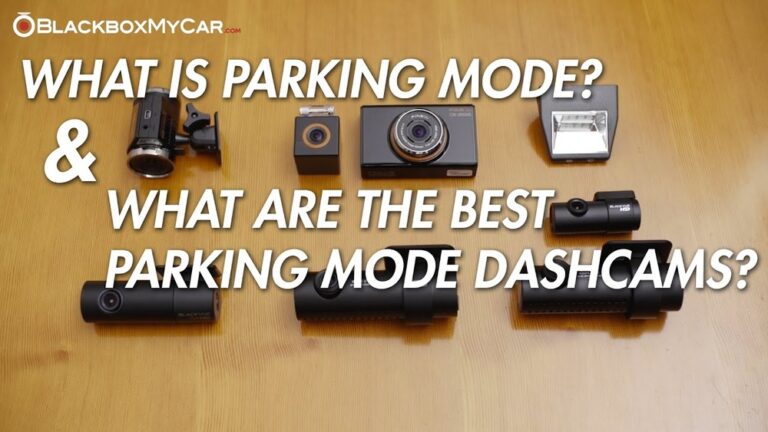
Parking mode is the feature that worries most owners. In parking mode the camera is usually “standby” and either:
- Wakes and records only on motion or impact (motion detection / G-sensor), or
- Records continuously at low power, or
- Records in timed bursts after a trigger.
Power draw in parking mode varies a lot. In motion-detection standby it can be as low as 30–80 mA for modern low-power models. If the camera records for long bursts or keeps Wi‑Fi/GPS on, that number can jump to 150–400 mA or higher. A dual-channel system doubles the risk because it powers two sensors. Over days of parking, even a small standby current can slowly pull the battery down—especially with an older battery or in cold weather.
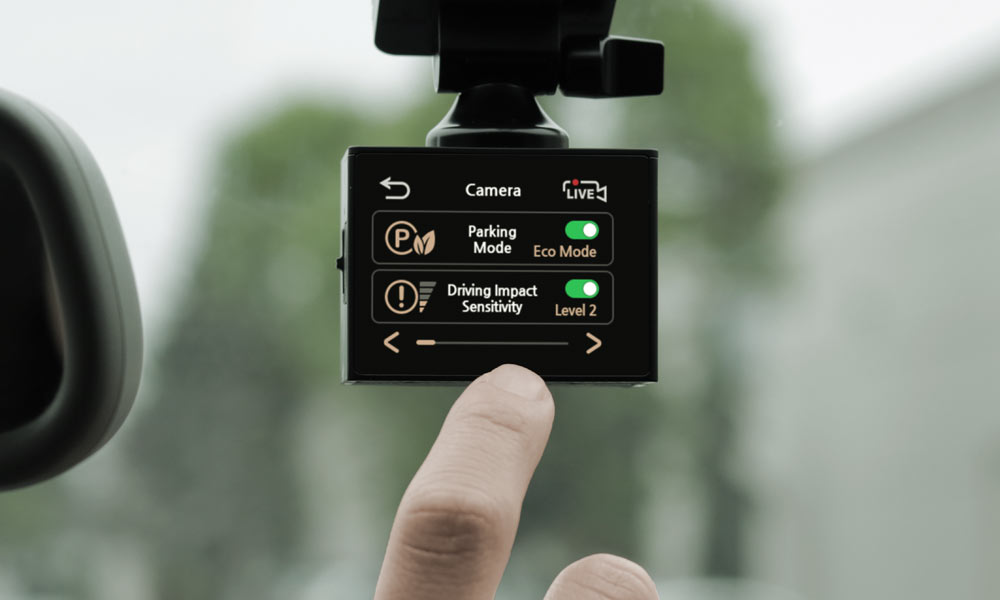
Many dash cams and hardwire kits offer a low-voltage cutoff (sometimes called battery protection). This setting stops power to the dash cam when the car battery reaches a chosen threshold (for example 12.0–12.4 V). I always enable a cutoff on my hardwired units to avoid a flat battery.
Credit: www.momentocam.com
Battery Drain Risks
Dash cams add convenience and security, but they also add a continuous power draw when parked. The real risk depends on several factors. I’ll break them down so you can judge your own setup.
Factors Influencing Battery Drain
Here are the main factors I watch for:
- Dash cam model and features: Dual-channel units, built-in Wi‑Fi, frequent motion-triggered recordings, and high-resolution (4K) recordings draw more power.
- Power draw (standby and active): Standby currents under 100 mA are ideal for long parking. Active recording can spike current for every event.
- Battery age and type: Older lead-acid batteries hold less charge. Deep-cycle or AGM batteries handle discharge better than a weak starter battery.
- Temperature: Cold reduces battery capacity and increases the chance of not starting the car after overnight parking.
- Connection method: Hardwiring with a fused constant 12V line without a cutoff raises risk. Using a smart hardwire kit or an external battery pack lowers it.
Signs Of Battery Drain From Dash Cams
Look out for these warning signs. I’ve seen all of them in the field:
- The engine cranks slowly or won’t start after parking for a while.
- Dim or flickering dash lights when you turn the key.
- Battery warning or check-charging-light appearing unexpectedly.
- Clicking sound when trying to start—starter solenoid struggling from low voltage.
If you see any of these, test the battery voltage with a multimeter. A healthy, fully charged 12V lead-acid battery reads about 12.6–12.8 V at rest. Anything below ~12.2 V indicates significant discharge.
Parking Mode Features
Parking mode is what makes dash cams valuable for detecting hit‑and‑runs, vandalism, and break-ins. But it’s also the mode that can quietly use power. Understanding the different parking mode options helps you balance security and battery life.
Motion Detection And Impact Sensors
Motion detection wakes the camera only when it sees movement in the frame. Impact detection (G-sensor) starts recording if the car is hit. Both reduce total recording time. From my tests, motion-standby that draws under 100 mA and only records short clips is a good compromise for most users.
Time-limited Recording Options
Some cameras record for a fixed time after a trigger—say, 30–60 seconds—and then return to standby. That limits long video captures and saves power. If your dash cam supports a parking-mode timer or event clip length, use conservative settings to avoid long drain cycles overnight.
Added: Typical Power Draw Examples (Real-World Context)
To make this practical, here are typical numbers you might see (approximate):
- Single-channel recording (driving): 150–400 mA
- Dual-channel recording (driving): 300–700 mA
- Parking-mode standby (low-power motion): 30–100 mA
- Parking-mode active recording (burst): 200–500 mA while recording
These are approximate and vary by brand, firmware, and whether Wi‑Fi, GPS, or a rear camera is active. Use them to estimate how many hours your battery could support a given setup.

Credit: www.youtube.com
Preventing Battery Drain
I’ve tried several strategies to prevent battery drain while keeping parking surveillance active. Below are practical steps you can implement today.
Using Battery Protection Devices
Battery protection devices are one of the most effective measures. They are either built into a smart hardwire kit or added as an inline device. Key options:
- Hardwire kit with low-voltage cutoff: Installs at a fuse box with a selectable cutoff (for example 12.0 V) and usually a delayed shutoff. I use these on long-term parked cars.
- Dedicated external battery packs (backup battery): These attach to the dash cam and supply power while parked. They prevent drain on the main vehicle battery and are ideal for frequent long parking.
- Solar trickle chargers: For vehicles parked outdoors long-term, a small solar maintainer can top up the battery and offset dash cam draw.
Adjusting Dash Cam Settings
Settings are an easy win. I recommend:
- Enable parking mode only when needed.
- Lower resolution and frame rate for parking recordings if your camera allows it.
- Turn off continuous Wi‑Fi streaming and GPS while parked.
- Set clip length short (20–40 seconds) for event recordings.
- Use the camera’s low-voltage cutoff setting if available.
These changes reduce average power use and extend how long your battery will last between charges.
Regular Battery Maintenance
Good battery health reduces the chance a dash cam will leave you stranded. My checklist:
- Check resting voltage with a multimeter—12.6–12.8 V is full.
- Load-test batteries older than 3–4 years or those with frequent low-voltage events.
- Clean terminals and check for corrosion.
- Replace aging batteries before they fail—weak batteries lose capacity quickly when stressed.
- Consider upgrading to AGM/deep-cycle if you routinely use high-parking-mode loads.
Choosing The Right Dash Cam
Picking the right dash cam matters. My rule: match the camera to your parking habits and power options.
Low Power Consumption Models
Look for cameras marketed as “low-power” or “parking mode friendly.” Good models document standby current in their specs (often under 100 mA). These are best for daily drivers who may leave the car parked for hours.
Other features to look for:
- Selectable parking-mode sensitivity.
- Low-voltage cutout or compatibility with smart hardwire kits.
- Efficient processors and power-saving firmware.
Built-in Battery Dash Cams
Some dash cams include an internal battery or supercapacitor. These supply only a short runtime—often 20 minutes to a few hours depending on capacity and whether the unit powers a rear camera. They help during short incidents and can protect the camera from sudden power loss, but they won’t replace a full backup power solution for multi-day parking.
Added: Supercapacitor vs Lithium Backup
Many dash cams use a supercapacitor rather than a lithium battery. Supercapacitors handle heat better and last longer in extreme temperatures but provide only short-term power (enough to close files safely and record for a few minutes). If you want hours of parking surveillance independent of the car battery, look for units that support external battery packs or hardwire solutions with cutoff protection.

Credit: autoskyus.com
Frequently Asked Questions
Do Dash Cams Drain Car Battery When Parked?
Yes—dash cams can drain your car battery if left powered while parked. However, many modern dash cams and hardwire kits include protections (low-voltage cutoffs, motion-only recording, timers) that reduce the risk. In my experience, a properly configured system rarely leaves you stranded.
How Long Can A Dash Cam Run On Car Battery?
That depends on the camera’s power draw and your battery capacity. A small draw of 50 mA could run for many days on a healthy battery, while a draw of 300–400 mA might drain a typical starter battery in 12–24 hours. Use the camera’s standby and active currents to estimate runtime for your battery capacity.
Can Dash Cams Cause Car Battery Failure?
Dash cams themselves rarely cause permanent battery failure when used properly. The bigger risk is repeatedly discharging an aging battery, which shortens its life. Using a low-voltage cutoff, a dedicated backup battery, or a solar maintainer prevents deep discharges and preserves battery health.
Does Parking Mode Save Car Battery Life?
Yes. Parking mode—when implemented as motion-only standby or with short timed recordings—greatly reduces average power draw compared to continuous recording. Set it up conservatively and enable cutoff thresholds to protect the vehicle battery.
Conclusion
Dash cams do use battery power when your car is parked, but with the right setup you can get the protection you want without risking a dead battery. My recommended approach:
- Choose a low-power dash cam or add a smart hardwire kit with a voltage cutoff.
- Set parking mode to motion-only or short timed clips.
- Consider an external battery pack or solar maintainer for long-term parking.
- Keep your car battery healthy with regular checks and timely replacement.
Use these steps and you’ll get the benefits of parking surveillance—evidence after incidents and extra security—without sacrificing starting reliability. I’ve relied on this approach across multiple cars and parking situations, and it keeps my vehicles ready to go.

I am Julian Drive, an automotive enthusiast and repair expert with over 7 years of hands-on experience in vehicle maintenance. At Carora Hub, I simplify complex car issues into easy-to-follow DIY guides to help drivers stay safe and save on repair costs.