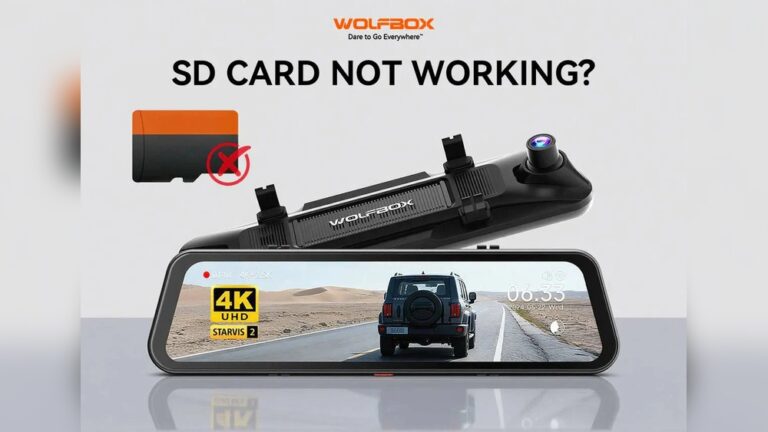
Every day, millions of drivers trust dash cams to protect them, document incidents, and capture surprising moments on the road. One question comes up again and again: what size SD card is best for dash cam use? If you’ve wondered the same, you’re not alone. Picking the right SD card affects how much footage you keep, how easy it is to review video, and how reliably your dash cam records.
I’ve tested cards in several dash cams and worked with drivers who needed footage for insurance and safety. In this guide I’ll walk you through the facts, give clear recommendations, and share tips I’ve learned that save time and headaches.
Why SD Card Size Matters For Dash Cams
Dash cams record continuously. They don’t pause between shots like a phone. Most use loop recording, so when the card fills up the oldest files get overwritten. The SD card size sets how much video stays on the card before that happens. Pick a card that’s too small and you risk losing evidence. Pick one too big and your dash cam may not accept it—or you may pay for space you never use.
SD card size affects more than space. It also impacts:
- Recording time: How many hours of footage you retain before overwrite.
- Video quality: Higher resolution and frame rates use far more storage.
- Reliability: Underpowered or incompatible cards can cause corrupted files.
- Compatibility: Not every dash cam supports every card type or size.
Understanding these trade-offs helps you buy the right card for your needs and budget.
Common Sd Card Sizes For Dash Cams
SD cards come in several capacities. Not every dash cam supports all of them. The most common sizes are:
- 32GB
- 64GB
- 128GB
- 256GB
- 512GB (rarely used)
How these sizes compare for dash cam use:
| SD Card Size | Approx. Recording Time (1080p) | Typical Dash Cam Compatibility |
|---|---|---|
| 32GB | 4-6 hours | Very wide support |
| 64GB | 8-12 hours | Wide support |
| 128GB | 16-24 hours | Supported by newer models |
| 256GB | 32-48 hours | Limited support |
| 512GB | 64-96 hours | Rarely supported |
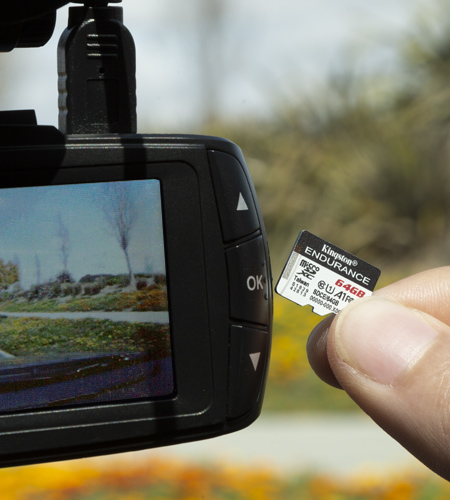
In practice, 32GB and 64GB are the most common. Cards larger than 128GB work only with many newer dash cams. Always check your dash cam’s manual before buying.
Credit: www.kingston.com
Key Factors For Choosing Sd Card Size
The right SD card size depends on a few key factors. Let’s look at each one in plain terms.
1. Dash Cam Model And Compatibility
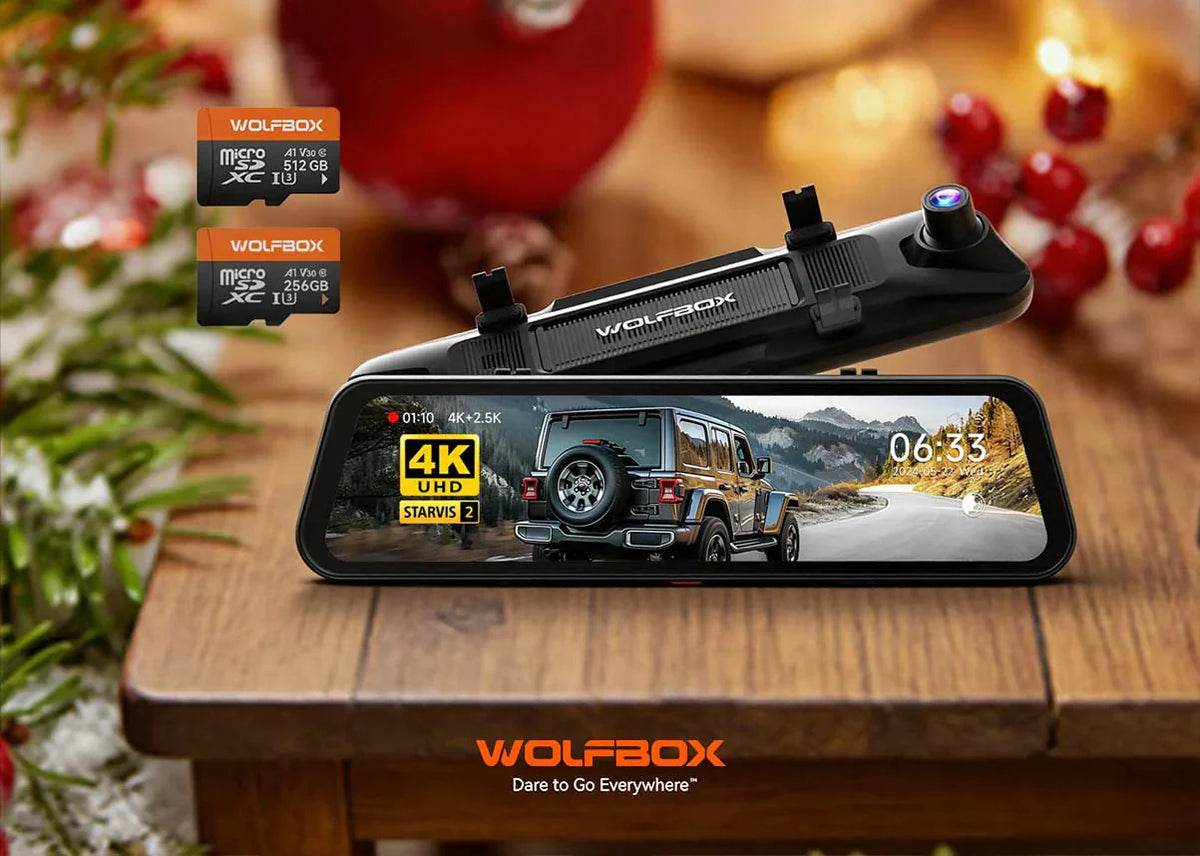
Dash cams are built to work with certain card standards. Many accept up to 64GB. Newer units often support 128GB or 256GB. If you use a card that’s too large, the camera may not read it or it could record incorrectly.
Tip: Check your dash cam’s specs. Manufacturers usually list the maximum supported size. Using an unsupported card can cause errors and may void your warranty.
2. Video Resolution And Quality
Higher resolution and higher frame rates create larger files. A 1080p video file takes far less space than a 4K file. If you want crisp, high-resolution footage, choose a larger card.
Typical usage estimates:
- 1080p (Full HD): ~1GB per hour (varies by bitrate)
- 4K (Ultra HD): ~4–6GB per hour
So, a 32GB card might hold 4–6 hours of 1080p, but only 1–1.5 hours of 4K.
Bitrate, Frame Rate, and File Size (Important)
Bitrate controls file size directly. Two cameras both set to 1080p can use very different amounts of space if one records at 30 Mbps and the other at 10 Mbps. Higher FPS (frames per second) also increases size. When in doubt, check the dash cam’s bitrate or do a short test recording to measure actual file sizes.
3. Loop Recording And Overwrite Cycle
Dash cams use loop recording. They record in short segments and overwrite the oldest segments when the card fills. If your card is too small, important footage may get erased before you can save it.
A larger SD card helps when:
- You drive long hours each day.
- You want to review older trips.
- You use parking mode and need overnight coverage.
If you’re curious how overwrite works in your model, see this link on loop recording: https://carorahub.com/does-dash-cam-overwrite-old-footage-automatically/
4. Card Speed And Reliability
Speed matters. Dash cams need steady write speeds. Choose cards labeled Class 10, UHS-I (U1/U3), or better. Slower cards can drop frames or corrupt files.
Tip: Don’t pick a cheap, slow card just because it’s large. Size without speed often leads to recording failures. Look for cards that list sustained write performance and are marketed for video, surveillance, or dash cams.
5. Price And Value
Larger cards cost more. But bigger does not always mean better if your dash cam won’t use the capacity. Match the card size to your needs and the camera’s limits.
Price snapshot (2024 averages):
| SD Card Size | Average Price (USD) | Value for Dash Cam |
|---|---|---|
| 32GB | $8-$15 | Excellent for basic use |
| 64GB | $12-$20 | Good for most users |
| 128GB | $20-$35 | Best for high-res cams |
| 256GB | $35-$65 | Only if supported |
6. Parking Mode And Motion Detection
Parking mode records when your car is parked, usually triggered by motion or impact. This can add many extra hours of footage, especially in busy areas.
If you use parking mode regularly, plan for a bigger card. Otherwise your overnight or parking footage may be overwritten before you review it.
Pros And Cons Of Popular Sd Card Sizes
Here’s a quick, practical look at each common size so you can match it to your routine.
32gb Sd Card
Pros:
- Widely supported
- Very affordable
- Good for short daily trips
Cons:
- Limited recording time
- Can overwrite important footage quickly
64gb Sd Card
Pros:
- Solid balance of price and space
- Works well for most dash cams
- Handles roughly 8–12 hours of 1080p video
Cons:
- May be tight for 4K or heavy parking mode use
- Some older models may not fully support SDXC behavior
128gb Sd Card
Pros:
- Stores plenty of footage
- Great for high-res or dual-camera setups
- Good for frequent drivers and long trips
Cons:
- Not compatible with some older dash cams
- Higher cost
256gb Sd Card
Pros:
- Massive storage
- Very useful for parking mode and sustained 4K recording
Cons:
- Limited compatibility—confirm support first
- More expensive
512gb Sd Card
Pros:
- Extreme storage—rarely needs overwriting
Cons:
- Almost never supported by older cams
- Very expensive
- Can cause errors in incompatible devices
Real-life Scenarios: Which Sd Card Size Fits Your Needs?
Here are real examples based on common driving habits. Use them as a starting point.
Scenario 1: Daily Short Commutes
You drive 30–60 minutes a day in town. You want basic protection and peace of mind.
Best choice: 32GB or 64GB
These sizes are affordable and keep hours of recent footage. They are perfect if you don’t need overnight parking mode coverage.
Scenario 2: Long Road Trips Or Professional Driving
You spend many hours driving—taxi, rideshare, delivery, or road trips. You want more history stored before overwrite.
Best choice: 128GB
This allows you to record roughly a full day of driving in 1080p before overwrite. It’s useful for drivers who need long-term evidence or to review long journeys.
Scenario 3: High-resolution Recording
You record at 4K or want the best detail for license plates and faces.
Best choice: 128GB or 256GB (if supported)
4K footage consumes space quickly. These sizes let you keep more useful footage and give you time to save important clips.
Scenario 4: Parking Mode And Overnight Recording
Your dash cam records while the car is parked, triggered by motion or impact.
Best choice: 128GB or 256GB
Parking mode adds many short clips that add up. Buying a larger, high-endurance card helps ensure footage isn’t lost too soon.
Scenario 5: Budget-conscious User
You want reliable recording and the lowest cost.
Best choice: 32GB
A 32GB card is enough for most casual drivers. It’s cheap and supported by nearly all dash cams. Just pick a high-endurance, Class 10 model for reliability.
Compatibility: Avoiding Common Mistakes
Many people buy the biggest card they can find, thinking bigger is always better. Compatibility can be tricky. Avoid these mistakes:
- Check the dash cam manual: Find the max supported size. Older models may accept only up to 32GB.
- Format correctly: Dash cams often require FAT32 (for 32GB) or exFAT (for 64GB and up). Format the card in the dash cam for best results.
- Buy trusted brands: Cheap cards fail fast. Use SanDisk, Samsung, Lexar, etc.
- Use endurance cards: Dash cams write constantly. High endurance or surveillance-class cards last longer.
- Keep firmware updated: Some cameras add support for larger cards via firmware updates.
Sd Card Types And Classes: What’s Important?
SD cards have types and speed classes. Knowing these stops you from buying the wrong card.
- SD: Up to 2GB. Not suitable for dash cams.
- SDHC: 4GB–32GB. Most dash cams accept these.
- SDXC: 64GB–2TB. Newer dash cams support these.
Speed classes:
- Class 10: Minimum 10MB/s. Good for HD video.
- UHS-I (U1/U3): Faster sustained speeds—needed for 4K or high bitrates.
For dash cams always choose Class 10 or better. Avoid Class 2 or 4 cards; they’re too slow for reliable video recording.
How Much Footage Can You Store? Real Examples
Here are typical recording times for each card size and common resolutions. These are averages—actual times depend on bitrate, compression, and whether you use dual cameras.
| SD Card Size | 1080p (Full HD) | 1440p (Quad HD) | 4K (Ultra HD) |
|---|---|---|---|
| 32GB | 4-6 hrs | 3-4 hrs | 1-1.5 hrs |
| 64GB | 8-12 hrs | 6-8 hrs | 2-3 hrs |
| 128GB | 16-24 hrs | 12-16 hrs | 4-6 hrs |
| 256GB | 32-48 hrs | 24-32 hrs | 8-12 hrs |
Sd Card Lifespan: How Long Will It Last?
SD cards wear out. Dash cams write constantly, which shortens lifespan compared with normal camera use.
- Regular SD cards: May last 1–2 years in daily dash cam use.
- High endurance cards: Designed for continuous write and can last 2–5 years.
Signs of a failing card:
- Missing or corrupted files
- Dash cam stops recording
- Card cannot be formatted
To extend lifespan:
- Format your card monthly in the dash cam.
- Buy high endurance cards; they handle many more write cycles.
- Replace the card every 18–24 months for critical use.
Formatting And Maintenance Tips
Good care prevents many common SD card problems. Follow these steps:
- Format new cards in the dash cam: Avoid using them straight from the package without formatting.
- Reformat monthly: Regular formatting clears hidden errors and keeps performance steady.
- Keep the card clean and dry: Dust, moisture, and static damage cards. Store spares in a case.
- Never remove the card while recording: Turn the dash cam off first to avoid corruption.
How To Check If Your Dash Cam Supports Large Sd Cards
Manufacturers list SD card compatibility in manuals and online. If you can’t find the specs, try these steps:
- Search your model number on the manufacturer’s website.
- Look for “SDXC” or “up to 128GB” or similar labels.
- Check firmware notes—updates sometimes add support for larger cards.
- If unsure, use a 32GB or 64GB card—these work in almost all cameras.
If you use an unsupported card, your dash cam may:
- Fail to record
- Freeze or crash
- Corrupt video files
Dash Cam Brands And Their Sd Card Recommendations
Here are manufacturer recommendations from popular brands:
- Garmin: Up to 64GB for most models; some support 128GB.
- Nextbase: Up to 128GB (SDXC).
- Viofo: Up to 256GB on newer models.
- BlackVue: Up to 256GB, but they recommend high endurance cards.
When in doubt, choose 64GB. It’s a safe pick for most dash cams.
Credit: wolfbox.com
High Endurance Sd Cards: Why They Matter
High endurance SD cards are built for constant writes. Regular consumer cards can fail after heavy use. High endurance cards are tested for thousands of hours and work better in hot cars and surveillance setups.
Key benefits:
- More write cycles before failure
- Lower risk of corrupted files
- Designed specifically for dash cams and security cameras
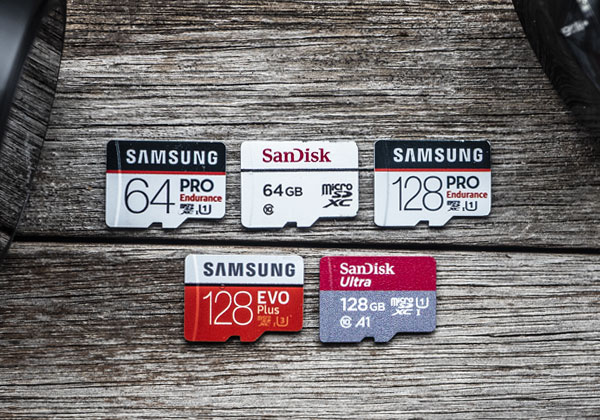
Popular choices include SanDisk High Endurance, Samsung PRO Endurance, and Lexar High-Endurance. They cost more but last longer and protect your footage.
Common Mistakes When Choosing Sd Card Size
Many drivers make simple mistakes. Avoid these:
1. Buying The Biggest Card Without Checking Compatibility
Just because a 512GB card exists doesn’t mean your camera supports it. Stick to your manual.
2. Ignoring Speed Class
Slow cards cause skipped video and errors. Choose Class 10 or faster.
3. Using Regular Sd Cards
Regular consumer cards wear out fast in dash cams. Use high endurance cards instead.
4. Not Formatting Regularly
Formatting keeps the card healthy. Format in the dash cam monthly.
5. Choosing Cheap, Unknown Brands
Cheap cards often fail or are counterfeit. Stick to trusted sellers and brand stores.
Expert Recommendations: What Size Sd Card Is Best?
Based on real use and compatibility, here’s what I recommend:
- For most drivers: 64GB SD card (Class 10, high endurance)
- For high-resolution recording or parking mode: 128GB SD card (if your camera supports SDXC)
- For older dash cams: 32GB SD card (Class 10)
- For professional drivers: 128GB or 256GB (only if your dash cam supports these sizes)
These choices balance price, reliability, and storage. Always pick a high endurance card and format it in the camera before first use.
Non-obvious Insights For Dash Cam Sd Cards
Some lessons from experience that people often miss:
- Dash cams can be picky about card brand and model. If you see recording errors, switching to a recommended card often fixes it.
2. Using Dual Cameras Needs More Space
Front + rear recording doubles storage needs. For dual-camera setups I recommend at least 128GB. If you add parking mode, step up to 256GB when supported.
3. Sd Card_Errors_Can_Cause_Lost_Evidence
Card failure can erase crucial footage. Back up important clips immediately and replace cards regularly to avoid surprises.
How To Save And Backup Dash Cam Footage
When you need to keep footage after an incident, do this:
- Remove the SD card safely: Turn off the dash cam first.
- Copy files to a computer: Use a card reader for faster, more reliable transfers.
- Backup important clips: Save to cloud storage or an external drive for redundancy.
- Format the card before reusing: This clears errors and improves reliability for future recording.
Where To Buy Reliable Sd Cards
Buy from trusted sellers. Counterfeit or low-quality cards are common on unknown sites.
- Best Buy
- Amazon
- B&H Photo
- Official dash cam brand stores
Look for product reviews and seller reputation. Prefer cards labeled high endurance from top brands.
Environmental Factors: Sd Card Performance In Extreme Conditions
Dash cams face heat, cold, and constant vibration. Not all SD cards cope well.
- High endurance cards are tested to tolerate extreme temperatures and long write cycles.
- Avoid leaving dash cams in extremely hot cars—heat can shorten card life.
- In cold climates, some cards slow down. Choose cards rated for roughly -13°F to 185°F (-25°C to 85°C) when possible.
Upgrading Your Dash Cam Sd Card: Steps And Tips
If you want to upgrade your card, follow these steps:
- Check compatibility: Confirm your dash cam’s max supported size.
- Pick a high endurance, Class 10 (or U3 for 4K) card: Choose the right capacity for your needs.
- Format in the dash cam: Use your camera’s format menu rather than your computer.
- Test the setup: Let the camera record for an hour or two and review clips for errors.
Credit: carcamcentral.com
Sd Card Alternatives: Cloud Storage And Internal Memory
Some dash cams offer cloud backup or built-in memory. These help in special cases but don’t replace an SD card for most users.
- Cloud backup: Useful for evidence preservation but needs Wi‑Fi and can add cost.
- Internal memory: Rare and usually too small for continuous recording.
SD cards remain the cheapest, most flexible solution for everyday dash cam use.
Future Trends: Will Sd Card_Sizes_Increase
Where the market is headed:
- More dash cams will support 256GB and even 512GB cards as 4K becomes standard.
- 4K and higher bitrates will push users toward larger, faster cards.
- Cloud backup will grow but likely supplement rather than replace local storage for most drivers.
For now, 64GB and 128GB are the best practical choices for most drivers.
FAQs Of What Size SD Card Is Best for Dash Cam
What Happens If My Sd Card Is Too Big For My Dash Cam?
If a card exceeds your dash cam’s supported size, it may not be recognized. Your camera could refuse to record or generate errors. Always check your manual for maximum supported sizes.
How Often Should I Replace My Dash Cam Sd Card?
With constant writing, replace consumer cards every 18–24 months for safety. High endurance cards can last longer—2–5 years—depending on usage.
Can I Use A Microsd Card With An Adapter In My Dash Cam?
Most dash cams use microSD cards. If you have a full-size slot, an adapter usually works. Make sure the card is high endurance and Class 10 or better for reliable recording.
What Is The Best Brand For Dash Cam Sd Cards?
Top brands include SanDisk, Samsung, and Lexar. Choose their high endurance or surveillance-class lines for dash cam use. Avoid unknown brands and suspiciously cheap offers.
Is It Safe To Buy Sd Cards Online?
Yes—if you buy from trusted sellers such as Amazon, Best Buy, B&H, or official brand stores. Avoid unknown marketplaces where counterfeit cards are common. For extra guidance, consult product reviews and buyer protections listed by the seller.
Final Thoughts
Choosing the right SD card for your dash cam is not hard, but it matters. The right card keeps recordings safe, reliable, and easy to review. From my experience, a 64GB high endurance SD card is the sweet spot for most drivers. If you record in 4K or use parking mode often, go with 128GB or larger—only if your camera supports it. Buy trusted brands, format in the dash cam, and replace cards regularly. Do that and your dash cam will protect you on every drive so you never miss a moment, a piece of evidence, or a memory.

I am Julian Drive, an automotive enthusiast and repair expert with over 7 years of hands-on experience in vehicle maintenance. At Carora Hub, I simplify complex car issues into easy-to-follow DIY guides to help drivers stay safe and save on repair costs.