A dash cam is a small camera that records video while you drive. I use one in my car every day. Many people install dash cams for safety, to have evidence after an incident, or to speed up insurance claims. But sometimes a dash cam will stop recording suddenly. That can be confusing and risky if you need footage.
Why does this happen? In this article I explain the main reasons dash cams stop recording. I also share step-by-step fixes and ways to prevent these problems. Whether you are new to dash cams or have years of experience, you’ll find clear tips and practical advice.
Common Reasons Dash Cams Stop Recording
Dash cams are meant to run reliably. Still, several factors make them stop without warning. Below I break down the most common causes and explain what to look for.
1. Memory Card Issues
The single most common reason I see is a faulty memory card. Dash cams store video on microSD cards. Those cards can fail for several reasons:
- Card wear-out: Flash memory has a limited number of write cycles. With continuous loop recording, cards wear down over time.
- Incompatible card: Some dash cams require specific speed classes or UHS ratings. Using a slow or unsupported card can cause dropped frames or recording stops.
- Corrupted card: Removing the card while the camera is writing files, or using the card across many devices, can corrupt the filesystem.
- Full card: If loop recording is disabled, the camera will stop when the card reaches capacity.
In my experience, a card often works fine for weeks and then starts causing intermittent failures. Some cameras show a “memory card error” message. Others simply stop recording with no warning.
Example
A user installs a 32GB microSD card in their dash cam. After three months, the camera stops recording randomly. Checking the card on a PC shows some files are unreadable. Replacing the card fixes the problem.
2. Power Supply Problems
Dash cams need constant power to record. Even a brief power drop can stop recording. Here are common power issues:
- Loose connection: Road vibration can loosen the power cable or the cigarette lighter adapter.
- Faulty adapter: Cheap or worn USB adapters and cigarette-lighter plugs can fail.
- Low voltage: A weak car battery or low-voltage cutoff (in hardwire kits) may stop the cam to protect the vehicle battery.
- Automatic cutoff: Many parking-mode setups include a voltage monitor that shuts the cam off when car battery voltage drops below a threshold.
If the dash cam loses power even for a second, it can close the current video file and not restart recording until you notice.
Example
I once hit a deep pothole and my dash cam stopped recording. The power cable had been pulled partway out of the socket. After I pushed it back in, recordings resumed.
3. Overheating
High temperatures can make dash cams shut down. Many dash cams survive normal driving heat. But extreme heat inside a parked car can cause thermal shutdown.
- Direct sunlight: A camera near the windshield gets intense heat.
- Poor ventilation: Tinted or sealed cabins reduce cooling airflow.
- Long sessions: Hours of continuous recording in hot weather raise internal temperature.
When overheating occurs, the camera may stop recording or power off. Some models show a warning message. Others just go silent until they cool down.
Example
On a summer day, my dash cam stopped recording after about two hours in the sun. After I moved the car into the shade the cam worked again.
4. Firmware Or Software Glitches
Dash cams run on embedded firmware. Like any software, firmware can have bugs. These bugs sometimes cause sudden stops.
- Outdated firmware: Older firmware can include bugs that manufacturers later fix.
- Unstable updates: A poorly tested update can introduce new glitches.
- Random crashes: Some cameras freeze or reboot, interrupting recordings.
Manufacturers release firmware updates to fix issues. But many users never install updates. That increases the chance of repeated failures.
Example
A dash cam stops recording whenever the menu is opened. After installing the latest firmware from the maker’s website, the issue disappears.
5. Faulty Dash Cam Hardware
Sometimes the problem is the camera itself. Hardware defects can cause sporadic failures or total shutdowns.
- Bad components: A failing circuit board or damaged solder joint can break under vibration.
- Loose internal connections: Repeated bumps can damage internal wiring.
- Age: Older cams tend to fail more often than newer ones.
If you ruled out power and card problems, the dash cam hardware may be the cause. It might need repair or replacement.
Example
A dash cam stops recording even with a new card and a solid power source. Testing another camera in the same car shows the replacement works. The original camera is defective.
6. User Settings And Configuration
Dash cams offer many features. Wrong settings often cause recording to appear to stop. I teach users to always double-check these options:
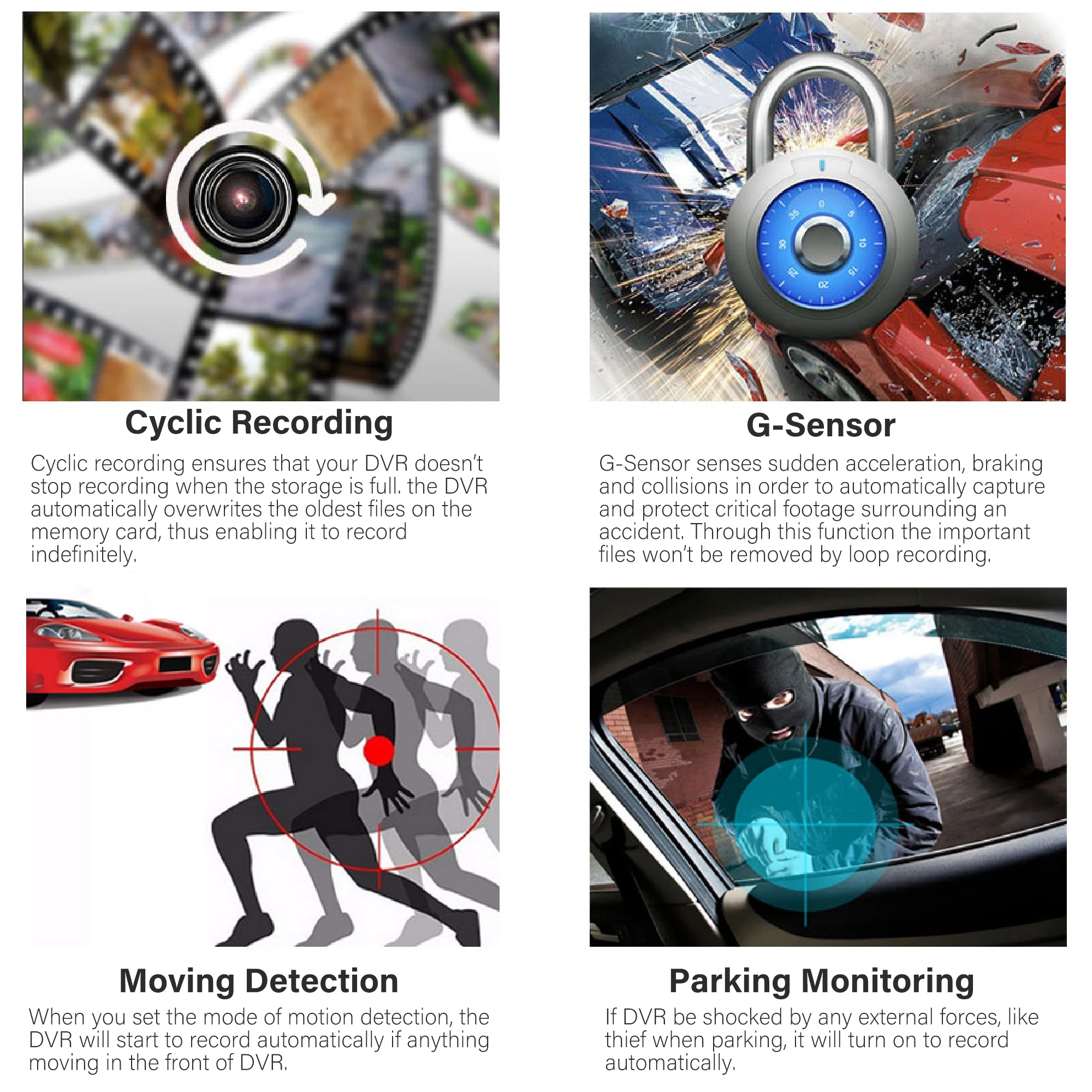
- Loop recording disabled: If loop is off, the cam stops when the card is full.
- Motion detection mode: Some units record only when motion or vibration is detected.
- Manual recording: If set to manual, recordings only start when you press the record button.
- Parking mode confusion: Parking mode may record only on impact or motion, not continuously.
I’ve seen users unknowingly change a setting and then worry the cam is broken. Always review your manual and the current configuration.
Example
A user enables motion detection for parking. The cam later doesn’t record while driving because it’s waiting for the motion trigger. Switching to continuous mode fixes it.
7. File System And Formatting Errors
Dash cams expect certain file systems on memory cards. If a card is formatted wrong, the camera may not record. Common issues include:
- Wrong format: Formatting on a PC with NTFS instead of FAT32 or exFAT will cause problems on many dash cams.
- Fragmented card: Cards with many old files can become slow or unstable.
- Unsupported size: Older cams may not support large SDXC cards (128GB+).
Most dash cams let you format the card internally. That is usually the safest option. It sets the correct filesystem and folder structure the camera expects.
Example
A dash cam refuses to record with a 128GB card formatted on a PC. Formatting the card inside the camera fixes the issue.
8. Impact Or Physical Damage
Physical shocks and moisture can damage dash cams. These issues sometimes show up as recording failures long after the incident.
- Dropped cam: A fall can loosen internal parts.
- Water damage: Rain or humidity can short circuits.
- Crash impact: A collision may damage the camera or bend the card slot.
Even if the camera looks fine, hidden damage can interrupt recordings.
Example
After a minor accident, the dash cam records for a few minutes and then stops. Sending the camera for repair restores normal function.
9. Low Battery In Battery-driven Models
Some dash cams include an internal battery. They use it for parking mode or standalone operation. If the battery runs low, the camera will stop recording.
- Battery age: Over time the internal battery holds less charge.
- Long parking sessions: Recording while parked drains battery faster.
- Cold weather: Batteries perform poorly in freezing temperatures.
Some models show battery status on screen. Others do not warn before stopping. I recommend monitoring battery health if your cam uses an internal cell.
Example
A dash cam set for parking mode stops recording after two hours. The internal battery is drained and the cam powers down.
10. External Interference
External devices or signals can sometimes interfere with a dash cam’s operation. This is less common, but worth checking.
- Nearby electronics: Strong electromagnetic fields or other gadgets can cause interference.
- GPS signal loss: Some dash cams pause or misbehave if they lose GPS input.
- Wi‑Fi conflicts: Wi‑Fi enabled cams may crash if their network connection is unstable or if many devices connect at once.
This is uncommon, but I have seen Wi‑Fi conflicts cause crashes on older models. Disabling Wi‑Fi often fixes the problem.
Example
A dash cam with Wi‑Fi stops recording whenever a phone connects to its hotspot. Turning off the cam’s Wi‑Fi resolves the issue.
How To Diagnose Dash Cam Recording Stops
When your dash cam stops recording, a quick diagnosis saves time. Here’s a practical, ordered method I use.
- Check the memory card: Remove the card. Test it in a computer. Run a health check. Try a new, known-good card if unsure.
- Inspect power supply: Test the cable, adapter, and car outlet. Wiggle the cable to reproduce the problem. Try a different adapter or USB port.
- Look for overheating: Feel the camera. Note how long it recorded before stopping. Try moving to shade or driving with A/C on low.
- Review settings: Open the menu. Check loop recording, parking mode, motion detection, and recording mode.
- Test with another dash cam: If possible, install a different camera. If the second cam works, the original likely has a defect.
- Update firmware: Check the manufacturer’s site for firmware updates. Apply updates carefully following instructions.
- Check for physical damage: Inspect the body, lens, and microSD slot for cracks, bends, or moisture.
This step-by-step process usually finds the issue quickly. Often the fix is simple: replace the card, secure the cable, or change a setting.
Quick Troubleshooting Checklist (Printable)
- Swap the microSD card with a high‑endurance card.
- Format the card inside the camera (after backing up files).
- Try a different power adapter or a hardwire kit.
- Temporarily disable Wi‑Fi and GPS to rule out conflicts.
- Reset camera settings to factory defaults and reconfigure.
- Note exact symptoms and timestamps to share with support if needed.
How to Format a microSD Card Safely
Formatting inside the camera sets the right filesystem and folder layout. If you must use a PC, use the SD Association’s official formatter. Choose FAT32 for cards up to 64GB and exFAT for larger SDXC cards—only if your camera supports exFAT.
Comparison: Memory Card Types For Dash Cams
Choosing the right memory card matters. Not all cards are equal. The table below summarizes common card types used in dash cams.
| Card Type | Speed Class | Capacity Range | Typical Lifespan | Recommended Use |
|---|---|---|---|---|
| Standard microSD | Class 10 | 16–64GB | 6–12 months | Basic dash cams, short trips |
| High Endurance microSD | UHS-I/UHS-III | 32–128GB | 2–5 years | Continuous recording, pro cams |
| SDXC (Extended) | Class 10/UHS-I | 128–512GB | 1–3 years | Large files, 4K cams |
High endurance cards are built for constant write/erase cycles. They are the best choice for dash cams. Standard consumer cards may work, but they tend to fail sooner in continuous‑write environments.
Recommended microSD Models I Trust
- SanDisk High Endurance (reliable for continuous loop recording)
- Samsung PRO Endurance (good heat tolerance and long life)
- Lexar High‑Endurance or industrial-grade microSD (for heavy use)
I keep a spare high‑endurance card in my glove box. It saved me after one card developed errors on a long trip.
Practical Solutions To Prevent Dash Cam Recording Issues
Stopping sudden recording failures is easier than fixing them later. Use these proven practices.
- Use high endurance memory cards: They tolerate constant writing and temperature swings.
- Format cards regularly: Format inside the dash cam roughly once a month after backing up important clips.
- Keep firmware updated: Check for updates every few months. Updates fix bugs and improve stability.
- Install securely: Use proper mounts and route cables so vibration does not unzip connectors.
- Avoid extreme temperatures: Park in shade or use a sunshade. In winter, avoid leaving the cam exposed to subzero temps.
- Check settings after updates: Firmware updates sometimes reset preferences. Confirm loop recording and parking mode settings.
- Replace old cards: Swap memory cards every 1–2 years depending on usage.
- Inspect cam after accidents: Even minor impacts can create hidden damage.
- Monitor battery health: For battery‑powered cams, test the battery and replace when capacity drops.
- Limit Wi‑Fi use: Disable Wi‑Fi unless you need it. It can drain resources or introduce instability.
These simple steps reduce the chance of sudden stops. They also make it easier to recover footage if something goes wrong.

Credit: www.botslab.com
Recommended Installation Tips
- Use a dedicated hardwire kit if you want reliable parking mode without relying on the cigarette lighter socket.
- Use a fuse tap with voltage protection to prevent car battery drain.
- Secure cables with adhesive clips and tuck them behind trim panels to prevent accidental pulls.
- Check connector contacts for corrosion, especially in older cars or humid climates.
Data Table: Dash Cam Recording Stop Causes Vs. Frequency
How common are the different causes of recording stops? Below are estimated frequencies based on user reports, forums, and product reviews.
| Cause | Estimated Frequency (%) | Fix Difficulty | Typical Solution |
|---|---|---|---|
| Memory Card Failure | 35 | Easy | Replace card |
| Power Supply Issue | 25 | Moderate | Check cables/adapters |
| Overheating | 10 | Moderate | Cool environment |
| Firmware Glitch | 8 | Easy | Update firmware |
| User Settings Error | 7 | Easy | Adjust settings |
| Physical Damage | 5 | Hard | Repair/replace cam |
| File System Error | 5 | Easy | Format card |
| External Interference | 3 | Moderate | Move devices/disconnect Wi‑Fi |
| Low Battery | 2 | Easy | Charge/replace battery |
Most issues are easy to fix. Memory card failure is the most common. In many cases replacing the card solves the problem.
Hidden Factors Beginners Overlook
Many first-time dash cam users miss small but important details. I point out the ones I see most often.
- Card speed rating matters: Two cards with the same capacity can have different sustained write speeds. Low sustained write speeds can cause dropped frames or write errors.
- Placement affects heat: Mounting behind the rearview mirror is standard. But on some windshields that position traps more heat. Try small adjustments or a sunshade to reduce exposure.
- Cheap adapters cause power drops: Low-quality USB adapters may introduce voltage drops when under load. Use a reliable, branded adapter or the original cable supplied with the camera.
- Firmware updates are manual: Most cameras don’t auto-update. You must check the manufacturer site and follow update steps.
Knowing these details helps avoid problems before they start.
Credit: www.ebay.com
Real-world Examples Of Dash Cam Recording Stops
Here are real cases that show how these issues play out in everyday use.
- Case 1: Card Failure After Accident
After a minor crash, a user checks dash cam footage and finds the last hour missing. The memory card failed from sudden shock. Replacing the card and reformatting restores normal operation.
- Case 2: Power Loss During Long Drive
On a cross‑country trip, the dash cam stops recording. It turns out the cigarette lighter cable had loosened. Replacing the adapter and securing the cable solved the problem.
- Case 3: Overheating in Summer
A driver parks in direct sun and the dash cam shuts down after 30 minutes. Moving the car to shade prevents further stops. The owner later added a sunshade for extra protection.
- Case 4: Loop Recording Turned Off
A user disables loop recording to save old files. The card fills up and the dash cam stops recording until files are deleted. Re-enabling loop recording fixed the issue.
These examples show how small oversights or environmental factors lead to recording stops. Most are easy to prevent.
How To Choose The Right Dash Cam For Reliability
If you want a dash cam that rarely stops recording, focus on these reliability features.
- High endurance card support: Choose models that explicitly support high‑endurance microSD cards.
- Stable power options: Cameras with hardwire kits or dual power inputs are less likely to lose power. Look for built-in low-voltage cutoffs and protection features.
- Good heat tolerance: Pick cams rated for wide temperature ranges and long continuous operation.
- Easy firmware updates: Models with app-based or straightforward update processes reduce friction for staying current.
- Clear error messages: Cameras that show detailed, actionable warnings help you fix problems faster.
Reading user reviews can reveal models with common recording issues. Official support pages and forums often list known bugs, compatible cards, and recommended settings.
For more technical background on dash cams and how they work, you can visit Wikipedia. That page explains dashcam history and basic functionality.
Comparison Table: Dash Cam Reliability Features
When shopping, compare these reliability features. They make a big difference in daily use.
| Feature | Importance | Benefit | Common in Models |
|---|---|---|---|
| High Endurance Card Support | Very High | Less card failure | Premium models |
| Stable Power Input | High | Fewer recording stops | Mid-range and up |
| Heat Tolerance | Medium | Works in hot/cold | Outdoor models |
| Firmware Update Ease | Medium | Quick fixes | App-enabled cams |
| Error Messaging | Medium | Quick diagnosis | Newer models |
Picking a dash cam with these features reduces the chance of unexpected recording stops and improves reliability long term.
FAQs: Why Does Dash Cam Stop Recording Suddenly
Why Does My Dash Cam Stop Recording When The Car Is Parked?
Most dash cams switch to parking mode when the car is off. In parking mode, they record only on motion, impact, or when the G‑sensor triggers. If the battery is low, or if settings are conservative, recording may stop. Check parking mode settings, battery health, and voltage cutoffs.
How Often Should I Replace My Dash Cam Memory Card?
Experts suggest replacing the card every 1–2 years for daily use. High‑endurance cards last longer, but all flash memory wears out. If you see read/write errors or missing clips, replace the card sooner.
Can Extreme Weather Cause My Dash Cam To Stop Recording?
Yes. Both heat and cold affect dash cams. High heat can cause thermal shutdown. Cold can reduce battery capacity and slow flash memory. Choose a model rated for wide temperature ranges and park in shade or sheltered spots when possible.
Do Firmware Updates Really Help Prevent Recording Stops?
Yes. Firmware updates fix software bugs, improve compatibility with new microSD cards, and patch stability issues. Installing the latest official firmware reduces the chance of unexplained recording stops.
Is It Safe To Use Large Capacity Cards Like 128gb Or 256gb In Dash Cams?
Large cards are useful for long recordings, but not all dash cams support them. Check your camera’s manual for supported sizes and whether it supports exFAT. Always format large cards inside the dash cam to avoid filesystem errors.
Dash cams are valuable for peace of mind. If yours stops recording suddenly it can be frustrating. Most problems are solvable. Memory card issues, power supply problems, overheating, and incorrect settings are the usual culprits.
By choosing a reliable camera, using high‑endurance cards, keeping firmware updated, and installing the unit securely, you can avoid most sudden stops. With basic maintenance, your dash cam will deliver reliable footage when you need it.

I am Julian Drive, an automotive enthusiast and repair expert with over 7 years of hands-on experience in vehicle maintenance. At Carora Hub, I simplify complex car issues into easy-to-follow DIY guides to help drivers stay safe and save on repair costs.