Getting your Toyota Prius into maintenance mode might sound technical, but it’s an essential skill for any Prius owner or technician who wants to perform proper diagnostics and routine checks. Many Prius functions, especially those related to the hybrid system, require the car to be in a special mode that lets the engine run continuously.
This mode is called maintenance mode or “inspection mode,” and it’s a little-known but vital feature for ensuring safe and effective servicing. Whether you’re changing the oil, checking the hybrid battery, or diagnosing engine issues, understanding maintenance mode is the first step to getting it right.
Most Prius drivers never need to use maintenance mode. However, if you ever plan to do your own maintenance, or if you work with a mechanic who isn’t familiar with hybrid systems, knowing how to enter and exit this mode can save you from costly mistakes.
This guide will walk you through every step, explain why maintenance mode matters, detail common pitfalls, and provide real-world advice you won’t find in most manuals. By the end, you’ll have the confidence to safely and correctly use maintenance mode on your Prius.
What Is Prius Maintenance Mode?
Maintenance mode is a special setting in Toyota Prius vehicles that allows the gasoline engine to run continuously, regardless of battery charge level. Normally, the Prius engine turns off when the car is stopped or the battery is sufficiently charged. However, for tasks like checking fluid levels, measuring emissions, or testing engine performance, it’s necessary for the engine to stay on. Maintenance mode overrides the default hybrid behavior, making standard maintenance possible without triggering error codes or safety shutdowns.
In most Prius models, maintenance mode is also called inspection mode. It’s used by mechanics and experienced owners for procedures that require the engine to run longer than usual. This mode is not intended for regular driving; using it on public roads can damage the car or cause unsafe situations. Always use maintenance mode only when the vehicle is stationary and you’re performing maintenance tasks.
Why You Need Maintenance Mode
There are several situations where entering maintenance mode is essential:
- Oil Changes: The Prius engine may turn off during a normal oil change, making it impossible to check for leaks or verify oil pressure.
- Emission Testing: Some test centers require the engine to stay on for accurate emissions data.
- Hybrid Battery Testing: Continuous engine operation is needed to test the high-voltage battery and related components.
- Coolant System Checks: The cooling fans and pumps run only when the engine is on.
- Diagnosing Engine Problems: Intermittent issues can be observed only when the engine stays running.
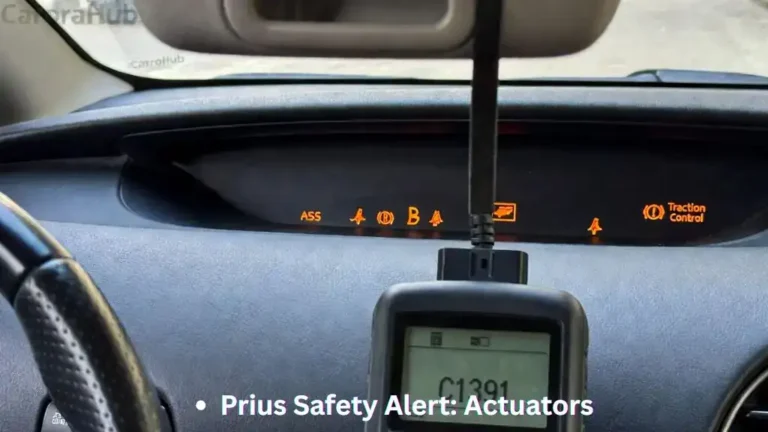
Attempting these tasks without maintenance mode can lead to incorrect results, unnecessary warning lights, or even engine damage. In rare cases, you might trigger a “check hybrid system” alert, which can only be cleared with a diagnostic tool.
Safety Precautions Before Starting
Before attempting to enter maintenance mode, keep these safety tips in mind:
- Park on a flat surface: Always perform maintenance on level ground.
- Use the parking brake: Prevent the car from rolling unexpectedly.
- Ventilate the area: Never run the engine in a closed garage due to carbon monoxide risk.
- Have the smart key nearby: You’ll need it for the start sequence.
- Know how to exit maintenance mode: Mistakes can keep your car stuck in this mode, leading to battery drain or other issues.
Never drive the Prius on public roads in maintenance mode. The car’s hybrid controls are altered, which can affect safety and emissions.
If you’re addressing oil-related concerns first, review Toyota Prius Oil Consumption Fix before running maintenance diagnostics.
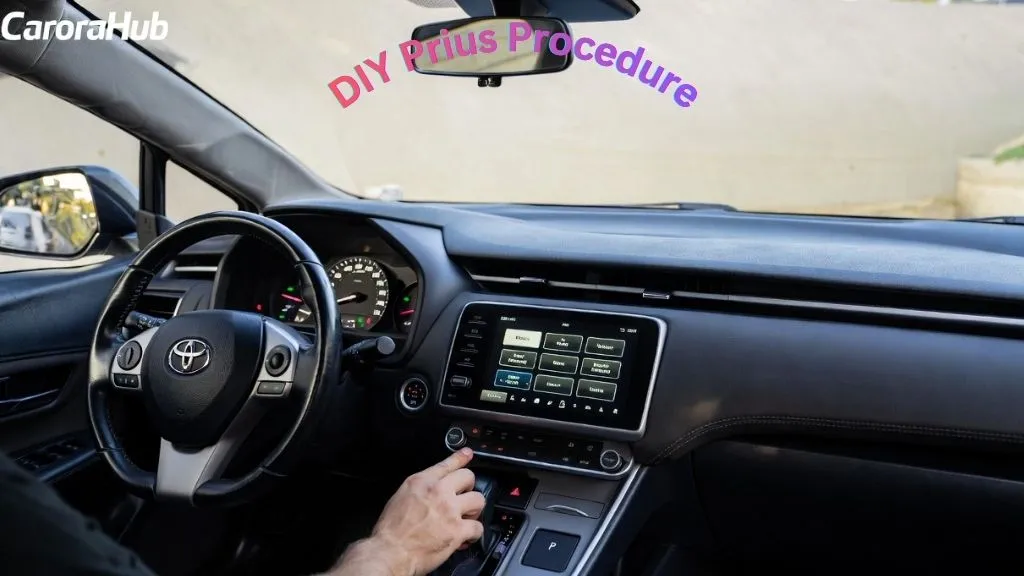
Step-by-step Guide: How To Enter Prius Maintenance Mode
Entering maintenance mode involves a precise sequence. The steps may vary slightly between Prius generations, but the process is generally similar. Here’s how to activate it for most 2004–2022 models (Gen 2, Gen 3, Gen 4).
For Prius Gen 2 (2004–2009)
- Foot on Brake: Press and hold the brake pedal.
- Push Power Button Twice (No Foot on Brake): With the car off, press the power button twice quickly to enter “IG-ON” (ignition on, but engine not running).
- Press Gas Pedal Twice: Within 10 seconds, press and release the accelerator pedal two times.
- Shift to Neutral: Move the shift lever to “N” (neutral).
- Press Gas Pedal Twice Again: Within 10 seconds, press and release the accelerator two more times.
- Shift to Park: Move the shifter back to “P” (park).
- Press Gas Pedal Twice More: Press and release the accelerator two more times.
- Start the Car: Press the brake and power button as usual to start the car. The engine should start and stay running, even when the battery is charged.
A confirmation message, such as “Maintenance Mode” or “Inspection Mode,” may appear on the display.
For Prius Gen 3 (2010–2015) And Gen 4 (2016–2022)
- Foot on Brake: Press and hold the brake pedal.
- Power Button Twice (No Foot on Brake): With the car off, press the power button twice (no foot on brake) to enter “IG-ON” mode.
- Press Gas Pedal Twice: Within 10 seconds, press and release the accelerator pedal two times.
- Shift to Neutral: Shift to “N” (neutral).
- Press Gas Pedal Twice Again: Press and release the accelerator two more times.
- Shift to Park: Shift back to “P” (park).
- Press Gas Pedal Twice More: Press and release the accelerator two more times.
- Start the Car: With your foot on the brake, press the power button to start. The engine will run continuously.
The message “Maintenance Mode” or “Inspection Mode” should appear, confirming success.
Quick Reference Sequence
Here’s a summary:
- Brake on → Power button twice (no brake) → Gas x2 → Neutral → Gas x2 → Park → Gas x2 → Start normally
This sequence is easy to forget, so many owners keep a note in their glove compartment.
Visual Indicator
When done correctly, you’ll see a message like “Maintenance Mode” or “Inspection Mode” on the multi-information display. The check engine light may stay on. This is normal and will clear after exiting maintenance mode.
Maintenance Mode For Plug-in Prius And Prius Prime
Some plug-in Prius models (such as Prius Prime) have slightly different procedures due to the unique hybrid system. For these cars, refer to your owner’s manual, but typically the process follows the standard steps with minor timing changes.
If your model has a “Ready” light, wait for it to turn on before starting the sequence. Be patient—some plug-in versions need up to 30 seconds between steps.
How To Exit Maintenance Mode
Many owners forget this step, which can lead to confusion or battery drain. To exit maintenance mode:
- Turn the car off completely: Press the power button as usual.
- Wait at least 5 seconds: Give the vehicle’s computer time to reset.
- Start the car normally: Press the brake and power button as you would for regular driving.
The car should start in its default hybrid mode, with the engine turning on and off automatically. If you see warning lights, they should disappear after a few cycles.
Troubleshooting Exit Problems
If the engine continues to run or you see warning messages, repeat the shut-down process. If problems persist, disconnect the 12V battery for a minute, then reconnect. This forces a system reset but may clear radio presets and clock settings.
Common Mistakes To Avoid
Entering maintenance mode isn’t difficult, but there are a few common errors that can cause headaches:
- Incorrect sequence: Missing a step or doing them out of order won’t activate the mode.
- Not in “IG-ON” mode: Starting the sequence with the car in the wrong mode will fail.
- Driving in maintenance mode: Never drive on public roads in this mode; hybrid safety controls are disabled.
- Forgetting to exit: Leaving the car in maintenance mode can drain the hybrid battery and trigger error codes.
- Confusing warning lights: Some lights are normal in this mode. If they remain after exiting, check the sequence or reset the 12V battery.
When To Use Maintenance Mode (and When Not To)
Maintenance mode is only necessary for certain tasks. Using it for the wrong jobs can be risky. Here’s a quick overview:
| Task | Maintenance Mode Needed? | Reason |
|---|---|---|
| Oil Change | Yes | Check for leaks with engine running |
| Emission Testing | Yes | Engine must run continuously |
| Battery Diagnosis | Yes | Observe charging and discharging |
| Checking Coolant | Yes | Ensure proper circulation |
| Tire Rotation | No | Hybrid controls not affected |
| Brake Service | No | Use “Brake Pedal Dance” mode instead |
Non-obvious insight: Many hybrid owners try to use maintenance mode for brake service, but Toyota recommends a different procedure called “brake pedal dance” for bleeding brakes.
Real-world Examples
Example 1: John, a Prius Gen 3 owner, was surprised when his mechanic struggled to check for oil leaks after an oil change. The engine kept shutting off every minute. After learning about maintenance mode, John was able to help his mechanic activate it and complete the job correctly.
Example 2: Maria brought her Prius for an emissions test, but the car failed because the engine wouldn’t stay on. The technician was unfamiliar with hybrids. By showing him the maintenance mode sequence, Maria passed the test on the second try.
Detailed Comparison: Maintenance Mode Vs. Normal Mode
Understanding the difference between these modes is important for safety and maintenance.
| Feature | Normal Hybrid Mode | Maintenance Mode |
|---|---|---|
| Engine Behavior | Turns off when stopped or battery charged | Runs continuously |
| Hybrid Battery Charging | Automatic | Manual observation needed |
| Emissions Control | Active | May be disabled |
| Warning Lights | Normal | Check Engine may appear |
| Safe for Driving | Yes | No |
Special Considerations For Different Prius Models
Not all Prius models are identical. Some have touch-start buttons, others have different displays or shifter types. Here are a few things to watch for:
- Prius C and Prius v: The sequence is the same, but “IG-ON” mode may be called “ON” in the manual.
- Prius Prime/Plug-in: Timing can be more sensitive. Make each step slowly and watch for confirmation messages.
- Right-Hand Drive Models: Controls are mirrored, but the sequence does not change.
If you’re unsure, always check your owner’s manual for model-specific instructions.
Pro Tips For Successful Maintenance Mode Activation
1. Practice the sequence: Try it a few times when you don’t need it. Muscle memory helps.
2. Watch the dash display: Confirmation messages are your best guide.
3. Keep a cheat sheet: Write the steps and keep them in your glove box.
4. Don’t rush: Timing matters, but going too fast can cause missed steps.
5. Know your “IG-ON” mode: It’s different from “Accessory” or “Ready” modes. Make sure you’re in the correct one.
6. Use for stationary testing only: Never use maintenance mode for driving.
7. Avoid repeated activation: Entering and exiting maintenance mode frequently can confuse the hybrid computer.
Hidden Risks And What Beginners Miss
Most guides skip the risks of improper use. Here’s what many Prius owners overlook:
- Battery drain: Leaving the car in maintenance mode for too long can drain the hybrid battery, leading to expensive repairs.
- System resets: If you disconnect the 12V battery to exit maintenance mode, you may lose radio presets and clock settings.
- Unusual warning lights: Some warning lights are normal in maintenance mode but should clear after exiting. If not, you may need a scan tool to reset the system.
- Hybrid system confusion: If the car gets stuck in maintenance mode, it may not drive or charge properly. Always exit the mode before driving.
Non-obvious insight: A mechanic who doesn’t know about maintenance mode may misdiagnose engine or hybrid issues because the engine won’t behave as expected.
What If Maintenance Mode Doesn’t Work?
If you follow the sequence and nothing happens, check these possible causes:
- 12V battery is weak: A low auxiliary battery can prevent the car from entering special modes.
- Wrong timing: The steps must be done within the required time window.
- Sequence started in wrong mode: Make sure you’re in “IG-ON,” not “Accessory.”
- Damaged shifter or pedal sensor: If the car doesn’t detect neutral or pedal presses, the sequence won’t register.
If you still have trouble, consult your local dealer or refer to the official Toyota service manual.
Advanced Tips For Technicians
If you’re a professional or want to go deeper:
- Use a diagnostic scan tool to monitor hybrid system parameters while in maintenance mode.
- Log engine and battery data for troubleshooting.
- Only activate maintenance mode in a well-ventilated area.
- Never bypass safety interlocks to force the engine on.
Some advanced technicians use maintenance mode to check for rare hybrid system faults that only occur during extended engine operation.
Prius Maintenance Mode: Quick Reference Table
Here’s an at-a-glance summary for entering and exiting maintenance mode:
| Step | Action | Details |
|---|---|---|
| 1 | Press Power Twice (No Brake) | Enter IG-ON mode |
| 2 | Gas Pedal x2 | Press and release twice |
| 3 | Shift to Neutral | Within 10 seconds |
| 4 | Gas Pedal x2 | Press and release twice |
| 5 | Shift to Park | Within 10 seconds |
| 6 | Gas Pedal x2 | Press and release twice |
| 7 | Start Car Normally | Engine will run continuously |
| 8 | Exit Maintenance Mode | Turn car off, wait 5 seconds, restart |
Getting comfortable with maintenance mode is a smart step for any Prius owner or technician. With the correct steps, a little patience, and attention to safety, you’ll be able to keep your hybrid running smoothly and avoid common pitfalls. If you’re ever unsure, consult a trusted hybrid specialist or your Toyota dealer for support.
FAQs Of How to Enter Prius Maintenance Mode
How Do I Know If My Prius Is In Maintenance Mode?
You’ll see a message such as “Maintenance Mode” or “Inspection Mode” on your display. The engine will run continuously, and the check engine light may appear. If you don’t see these, repeat the sequence.
Can I Drive My Prius In Maintenance Mode?
No, you should never drive in maintenance mode. Hybrid safety features are disabled, and emissions controls may not work. Only use this mode for stationary maintenance in a safe place.
What Happens If I Forget To Exit Maintenance Mode?
If you leave the car in maintenance mode, the hybrid battery can drain quickly, and you may see warning lights. Always exit maintenance mode before driving. If you forget, restart the car normally or disconnect the 12V battery to reset.
Is Maintenance Mode The Same For All Prius Models?
Most 2004–2022 Prius models use a similar sequence, but some plug-in and international models have slight differences. Always check your owner’s manual for your specific model.
Where Can I Find Official Instructions For Prius Maintenance Mode?
Official instructions are available in the Toyota service manual or from reputable sources like Wikipedia. Your local dealer can also provide guidance.

Hello, I’m Norman. I work as a car researcher. I am the voice behind CaroraHub. I have over 15 years of experience. I give simple and useful car advice. I help with car care, cleaning, and small repairs. My goal is to help you keep your car healthy. I want car care to be easy and cheap for you. You can trust my tips to keep your car working well for a long time.