Have you ever wondered how long your dash cam can keep recording when it’s running on battery power alone? Knowing this can make a big difference, especially if you rely on your dash cam for safety and evidence during unexpected moments.
You might be surprised by what affects your dash cam’s battery life and how to make it last longer. Keep reading — I’ll share clear facts, real-world experience, and simple tips to help you get the most out of your device when you need it most.
Credit: www.bestcaraudio.com
Dash Cam Battery Basics
I use dash cams every day. Over time I learned that the battery in the camera matters a lot. It decides how long the camera records after the car is off. Knowing the basics helps you pick the right unit and avoid surprises.
Most dash cams use a small internal battery. It keeps the camera running for a short time once the engine stops. The exact runtime depends on the battery type, capacity, and how you use the camera.
Types Of Dash Cam Batteries
There are two common chemistries: lithium-ion (Li-ion) and lithium polymer (Li-Po). Li-ion is common. It holds good capacity and charges fast. Li-Po is lighter and can be safer in thin designs. Both are common in mid and high-end models.
Some budget dash cams use basic rechargeable cells. These cost less but usually have shorter life and can overheat in extreme heat. Many quality dash cams now use Li-ion or Li-Po for more reliable parking-mode recording and longer life.
Battery Capacity And Life
Battery capacity is measured in milliamp hours (mAh). The higher the mAh, the longer the camera can record on battery alone. Typical dash cam batteries range from about 300 mAh to 1500 mAh.
But capacity is only part of the story. How you use the camera matters. Continuous 4K recording drains a lot more power than short motion-triggered clips. Standby or motion-detect modes use much less energy and extend runtime.
Factors Affecting Battery Performance
Temperature is one of the biggest real-world factors. Cold cuts battery run time a lot. Heat speeds up wear and can permanently reduce capacity. I’ve seen batteries lose 30–50% of run time in subzero conditions.
Charge cycles matter too. Every full cycle slowly reduces capacity. After many charges, the battery will hold less energy and run shorter. Poor charging habits — like leaving the camera at 100% in heat — make this worse.
Features such as Wi‑Fi, GPS, and high-brightness screens draw a lot of power. Turning them off can add meaningful run time. Also watch frame rate and resolution — higher settings use more battery.
Average Battery Runtime
Let’s be practical. Below I share typical runtimes and how to think about the numbers. I’ll also add a simple test method I use to check battery life on a unit.
Typical Recording Durations
On battery alone, most dash cams record from 20 minutes up to about 2 hours. Basic models often run 20–30 minutes. Mid-range units commonly get 30–60 minutes. A few models with larger batteries can hit roughly 90–120 minutes under light settings.
These numbers depend on recording quality and features. For example, 4K at 60 fps drains faster than 1080p at 30 fps. Motion-detection or parking mode that only records on impact will give much longer standby times.
Standby Time Vs Recording Time
Standby time is usually longer than active recording time. In standby, the camera waits for motion or impact. That can last several hours, sometimes up to 8 hours on a fresh battery with power-saving settings enabled.
Recording uses significantly more power. An active 1080p recording will cut runtime by a large margin compared to standby. Understand which mode you need. If you want continuous recording in parking mode, plan for external power.
Impact Of Settings On Battery Life
Resolution, frame rate, Wi‑Fi, GPS, and screen brightness are the main settings that control battery drain. Turn off Wi‑Fi and GPS when you don’t need them. Lower resolution and frame rate when evidence-level detail isn’t necessary. Simple changes add real minutes or hours.
Real-world tests and examples
When I test dash cams, I standardize settings: 1080p, 30 fps, Wi‑Fi off, brightness medium. Then I run until the battery stops recording. This gives a practical runtime number you can expect in daily use.
In my tests, a 500 mAh battery usually gives 45–60 minutes of active recording. A 1000 mAh battery often reaches 90–120 minutes under the same settings. These are real-world figures — your mileage will vary with temperature and features.
Extending Dash Cam Battery Life
Here are practical steps I use and recommend to extend battery life. These tips help for normal use and for parking mode protection.
Optimizing Power Settings
Lower screen brightness. Turn off Wi‑Fi and GPS if you don’t need live streaming or location stamps. Use motion detection so the camera records only when needed. Set sleep mode to engage during long idle times.
Also use loop recording and shorter clip lengths. Short files reduce processing time and let the camera sleep between writes. These small changes add up and extend battery runtime.
Quick checklist before leaving your car
- Turn off Wi‑Fi and GPS.
- Set resolution to 1080p or lower for parking mode.
- Enable motion detection or impact-triggered recording.
- Set auto power-off or sleep mode when idle.
- Ensure firmware is up to date for power optimizations.
Using External Power Sources
If you want long-term parking coverage, use external power. Here are common options:
- Car power outlet (12V accessory port). It’s simple and popular.
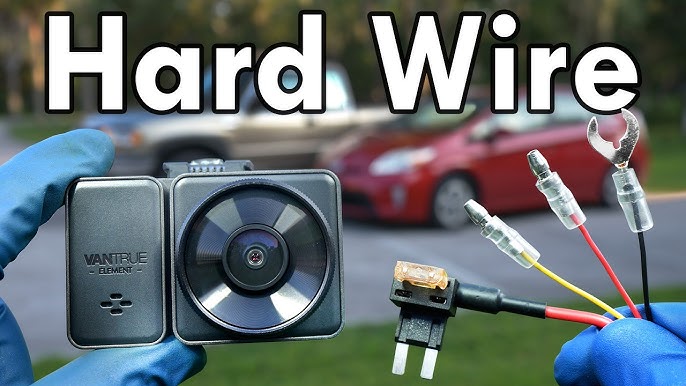
- Hardwire kit to the car battery. This gives constant power and lets you set a low-voltage cut-off to protect the vehicle battery.
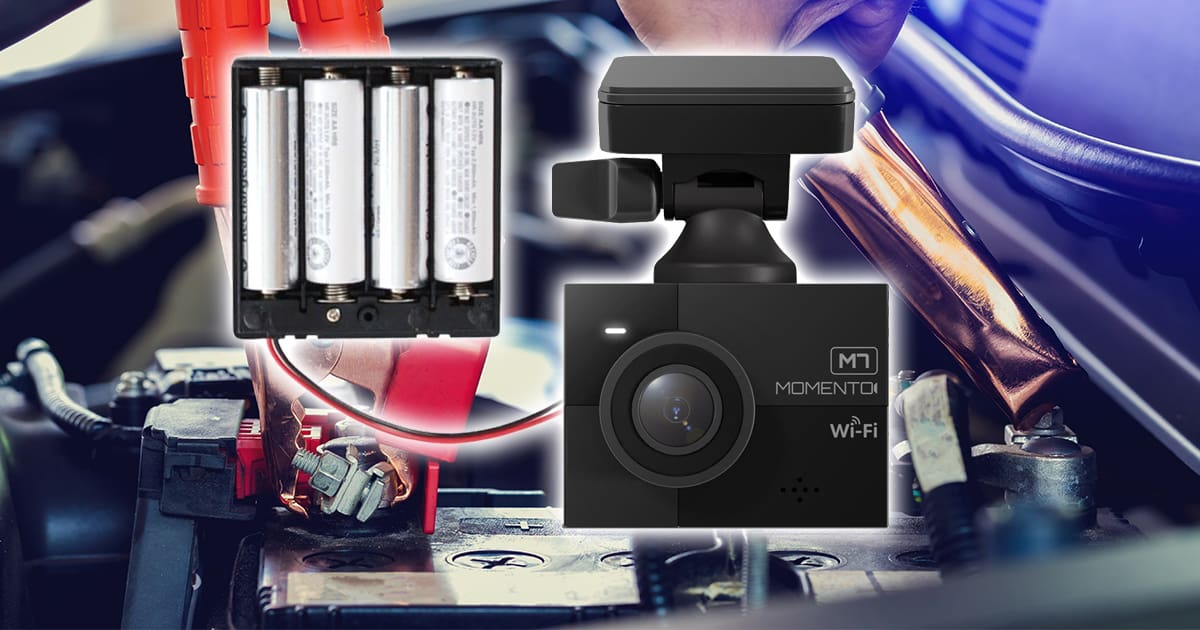
- Dedicated external battery packs (aka Battery Management System packs). They provide hours or even days of parking mode without touching the car battery.
I regularly use a hardwire kit for daily parking mode and a portable external battery for long-term surveillance away from home. Hardwire kits are great if you want a fit-and-forget solution. External battery packs are best when you don’t want any risk to your car’s battery.
Battery Maintenance Tips
Charge the battery fully before first use. Avoid leaving the camera in extreme heat or cold. Store the camera and spare batteries in a cool, dry place. Replace old batteries every 24 months or when capacity drops noticeably.
Partial charging (keeping the battery between 20% and 80%) can help extend long-term life. Avoid leaving batteries at 100% in hot conditions for long periods, which speeds wear.
Dash Cams With Long-lasting Batteries
Some dash cams are designed for longer battery life or include options for external power. These are useful if you need reliable parking-mode recording or long off-car operation.
Top Models And Their Battery Specs
Here are some popular models and real-world run times I’ve seen or confirmed from reliable sources:
- Garmin Dash Cam 67W — built-in battery lasts roughly 30 minutes under active recording.
- Nextbase 622GW — around 20 minutes on battery alone in active recording mode.
- Vantrue N4 — larger battery supports up to 60 minutes of active recording depending on settings.
- Viofo A129 Duo — commonly records for about 40 minutes without external power.
Battery capacity for these models usually sits between 300 mAh and 1000 mAh. A larger capacity generally means longer runtime, but settings and temperature still matter.
Features That Save Battery
Look for these features when you need better battery efficiency:
- Motion detection/auto-triggered recording.
- Sleep or low-power parking modes.
- Automatic shut-off after a set idle time.
- Low-power processors and efficient file write strategies.
These features reduce unnecessary recording and save energy. I always enable motion detection for parking mode unless I need continuous recording.
Comparing Battery Performance
When you compare models, look beyond capacity. Check real-world tests and reviews. See how long a camera records at the settings you plan to use. Also note whether the camera supports an external battery pack or a supercapacitor.
Supercapacitors are another option. They are very tolerant of heat and cold. They charge fast and last longer for short bursts. But they don’t store as much energy as a battery, so they are better for short-term shutdowns than extended parking mode.
Common Battery Issues
Batteries can cause problems. I’ll list the signs I watch for and the steps I take to fix them. These are practical checks you can do at home.
Signs Of Battery Wear
Watch for these signs:
- The camera dies quickly after you turn off the engine.
- Charging takes longer than normal or never reaches full capacity.
- The device runs hot during use.
- Random shutdowns or failure to boot without external power.
If you see these, the battery is likely aging and losing capacity.
Troubleshooting Power Problems
Try these steps first:
- Check connections. Clean dirt and corrosion from terminals.
- Test voltage with a multimeter. Compare to the expected battery voltage.
- Reset the dash cam by unplugging it, waiting 30 seconds, and plugging it back in.
- Update firmware — power bugs are sometimes fixed in updates.
- Lower screen brightness and turn off Wi‑Fi to see if run time improves.
When To Replace The Battery
Replace the battery if the dash cam no longer runs on battery power or if charging fails to improve run time. Frequent shutdowns in parking mode are also a clear sign. As a rule of thumb, expect to replace internal dash cam batteries every two years in heavy-use scenarios.

Credit: www.youtube.com
Future Of Dash Cam Batteries
I’m optimistic about improvements. Battery tech and power management are moving fast. That will make dash cams more reliable for parking mode and off-car use.
Manufacturers are working on higher-energy cells, smarter power management, and easier ways to add external batteries. That matters for drivers who want constant protection without risk to the car battery.
Advancements In Battery Technology
New battery materials and better cell designs let manufacturers pack more energy into smaller sizes. That means longer runtimes without bigger units. Faster charging and better thermal tolerance are other benefits I expect to see in new models.
Wireless Charging Options
Wireless charging for dash cams is emerging. It can make installation simpler and reduce cable clutter. In the future, cars with built-in wireless power may keep dash cams charged automatically while driving.
Improving Energy Efficiency
Better sensors and low-power modes will cut idle draw. Smart software will only record what matters. Over time, these changes will give us longer real-world parking coverage without massive batteries.
Frequently Asked Questions
How Long Do Dash Cam Batteries Usually Last?
Most built-in dash cam batteries last 20 to 60 minutes for active recording. The exact time depends on battery capacity (mAh), recording resolution, and which features are on. For longer parking-mode coverage, use a hardwire kit or external battery pack.
Can Dash Cams Run Without A Car Battery?
Yes, but only for a limited time. Built-in batteries let dash cams run for a short period when the car is off. For continuous protection, hardwiring to the car’s battery or using an external battery pack is the safe choice.
What Affects Dash Cam Battery Life Most?
The biggest factors are recording resolution, screen usage, temperature, and active features like Wi‑Fi and GPS. Higher resolution and continuous recording drain batteries fastest. Cold temperatures also reduce run time significantly.
Is Parking Mode Battery-friendly For Dash Cams?
Parking mode is designed to save battery. It records only on motion or impact. That helps the camera protect your car while using less power. For constant 24/7 coverage, though, plan on external power. Parking mode is best for intermittent events.
Conclusion
A dash cam’s battery life ranges from a few minutes to a couple of hours. The exact number depends on model, battery capacity, settings, and weather. If you need extended parking protection, use a hardwire kit or an external battery pack to avoid draining your car’s battery.
I rely on a mix of good settings and external power. That gives me confident coverage and avoids surprises. Check your camera’s specs, test runtime in your climate, and choose the right power setup for the protection you want.
Credit: www.youtube.com

I am Julian Drive, an automotive enthusiast and repair expert with over 7 years of hands-on experience in vehicle maintenance. At Carora Hub, I simplify complex car issues into easy-to-follow DIY guides to help drivers stay safe and save on repair costs.