
When you first buy a dash cam, one of the first things you need is a memory card. Most people already have a few SD cards lying around from old cameras or phones. The question comes up: Can I use a regular SD card in a dash cam? The answer isn’t as simple as “yes” or “no.”
There are important differences between SD cards, and using the wrong one can lead to lost footage, camera errors, or even card failure at the worst moment. Understanding the right type of SD card for dash cams can save you from these headaches and make sure your camera records reliably when it matters most.
This guide will walk you through everything you need to know about using regular SD cards in dash cams. We’ll look at how SD cards work, what dash cams need, the risks of using standard cards, and how to pick the right one.
You’ll also find real-world examples, technical details, and smart tips that most beginners miss. By the end, you’ll know how to avoid common mistakes and keep your dash cam working smoothly.
Understanding Sd Card Types
Before deciding if a regular SD card is suitable for your dash cam, it’s important to understand the main types of SD cards and what makes each one different.
SD (Secure Digital) cards come in three basic physical sizes:
- Standard SD (used mostly in cameras)
- MiniSD (rare today)
- MicroSD (most common for dash cams and phones)
But just as important as the size are the speed class and the endurance rating.
Sd Card Speed Classes
SD cards have different speed ratings, usually shown by symbols or numbers on the card:
- Class 2, 4, 6, 10: The number shows the minimum write speed in MB/s. For example, Class 10 = 10 MB/s.
- UHS Speed Classes (U1, U3): Newer cards use U1 (10 MB/s) or U3 (30 MB/s).
- Video Speed Classes (V10, V30, V60, V90): Higher numbers for 4K/8K video.
For dash cams, at least Class 10 or U1 is recommended, but higher is better for HD or 4K video.
Sd Card Endurance
Most people focus on speed, but endurance is just as important for dash cams. Regular SD cards are made for taking a few photos or short videos. A dash cam, however, writes data over and over, sometimes for hours every day. This can wear out a normal SD card quickly.
High Endurance SD cards are built for continuous writing. They last longer and are less likely to fail in a dash cam.
Card Capacity
Capacity also matters. Dash cams support cards from 8GB up to 512GB or more, but the camera’s manual will show what sizes it can use. Larger cards mean more hours of video before old files get overwritten.
Table: Sd Card Types And Features
Here’s a quick comparison of SD card types you might find:
| SD Card Type | Speed Class | Endurance | Best Use |
|---|---|---|---|
| Standard SD | Class 2-10 | Low | Cameras, old devices |
| UHS-I U1 microSD | U1/Class 10 | Medium | Phones, basic dash cams |
| High Endurance microSD | U1/U3/V30 | High | Dash cams, security cams |
| Ultra High Speed U3/V30+ | U3/V30-V90 | Medium | 4K/8K video, drones |
If you’re fixing storage errors, also read Why Does My Dash Cam Keep Saying Memory Card Full to understand common card issues first.
What Dash Cams Really Need
Dash cams are not like normal cameras. They record video all the time, often in high quality. This puts special demands on SD cards.
- Continuous Write Cycles: Dash cams write new data every second, sometimes 24/7.
- Loop Recording: Old files are erased and replaced with new footage.
- Heat and Cold: Dash cams can get very hot or cold in cars, which stresses the card.
- Sudden Power Loss: Cars turn off suddenly; the SD card must handle this without corrupting files.
For all these reasons, not every SD card is up to the job.
Minimum Requirements
- Speed: At least Class 10/U1 for 1080p, U3/V30 for 4K.
- Endurance: Cards rated “High Endurance” or “Industrial Grade.”
- Size: At least 32GB for daily use; 64GB-128GB is better for HD/4K.
Many dash cams will reject cards that don’t meet these standards.
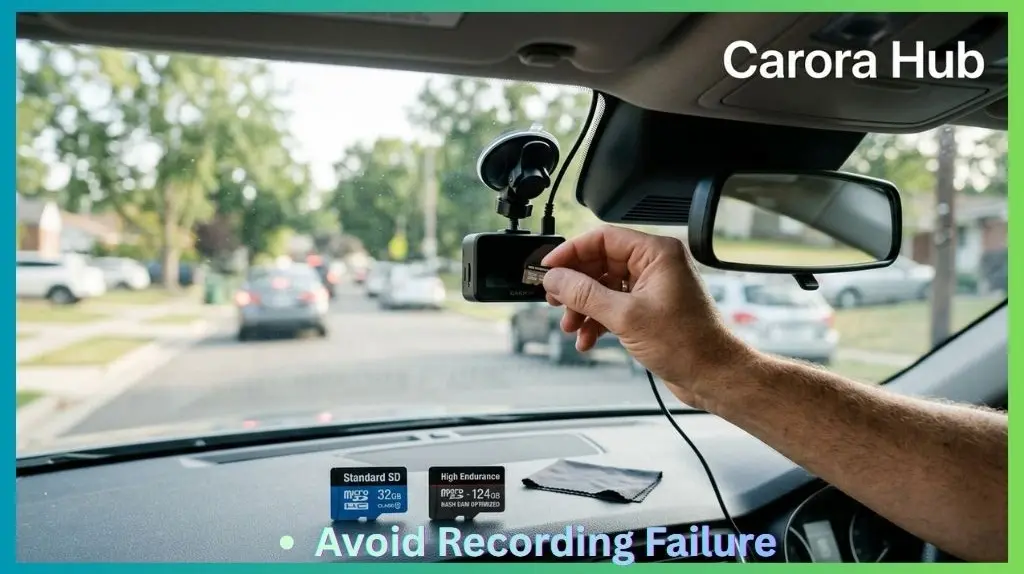
The Risks Of Using A Regular Sd Card In A Dash Cam
It’s tempting to use any SD card you have, but there are real risks with this approach. Here’s what can go wrong:
1. Early Card Failure
Regular SD cards are built for light use—like taking some photos on vacation. In a dash cam, a normal card may fail after just a few weeks or months. When it fails, your dash cam may stop recording or lose files without warning.
Non-obvious insight: Often, a card seems to “work” at first, but when you actually need footage after an accident, the files are corrupted or missing.
2. Lost Or Corrupted Video Files
If the card can’t keep up with the camera, you might get:
- Missing video clips
- “File error” warnings on the dash cam
- Blank or unreadable files
This is especially common with cheaper, slower SD cards.
3. Overheating And Data Loss
Cars get hot, especially in summer. Regular SD cards may overheat and stop working—sometimes permanently. High endurance cards handle high temperatures better.
4. Compatibility Issues
Some dash cams simply won’t accept certain SD cards. You might see messages like “Card Error” or “Please Format Card,” even if the card is new.
5. Shorter Card Life
A typical regular SD card can last for 500 to 1,500 write cycles. High endurance cards often last up to 10,000 cycles—many years in a dash cam.
Practical tip: Replacing a failed SD card may cost more in lost footage (e.g., accident evidence) than the small price difference for a high-endurance card.
When A Regular Sd Card Might Work
Some dash cams are less demanding, and there are situations where using a regular SD card is possible:
- Testing the dash cam: For setup, a regular card is fine for a short test.
- Low-usage drivers: If you only use the dash cam for short trips once a week, a regular card may last longer.
- Old dash cams: Older cameras that record at low resolution (e.g., 720p) may not need high-speed cards.
However, even in these cases, you risk sudden failure. If your dash cam records important evidence (e. g. , for insurance), a high endurance card is always safer.
What Makes High Endurance Sd Cards Different?
High endurance SD cards use MLC or TLC flash memory built to survive much more writing and erasing. They’re also tested for temperature, shock, and power-loss resistance.
Here are some features that separate them from regular SD cards:
- Longer lifespan under constant recording
- Better error correction for lost data
- Stronger physical build for heat/cold
- Consistent speed even after thousands of hours
Brands like SanDisk High Endurance, Samsung PRO Endurance, and Kingston High Endurance are well-known for these features.
Table: Regular Vs High Endurance Sd Cards
A side-by-side view helps show the main differences:
| Feature | Regular SD Card | High Endurance SD Card |
|---|---|---|
| Write Cycles | 500 – 1,500 | 5,000 – 10,000+ |
| Heat Resistance | 0°C to 60°C | -25°C to 85°C |
| Write Speed | Inconsistent over time | Consistent, reliable |
| Data Loss Risk | Higher | Lower |
| Price | Lower | 10-30% higher |
Real-world Examples And Case Studies
Example 1: Dash Cam Footage Missing After Accident
A driver used a regular 32GB SD card in their dash cam for two months with no issues. After an accident, they checked the footage—only to find that the last two days’ videos were corrupted. The SD card had failed quietly.
The insurance claim became much harder to prove.
Example 2: Sd Card Overheating In Summer
Another user in Texas reported their regular SD card would stop recording every afternoon when the car got hot. Switching to a high endurance card fixed the problem, and the dash cam recorded reliably even during 100°F days.
Example 3: Loop Recording Glitch
A dash cam with a standard SD card started giving “memory full” errors after a few weeks. The card could not handle the constant overwriting, so files weren’t deleted correctly. Upgrading to a high endurance card solved the issue.
Non-obvious insight: Even if your dash cam seems to work with a regular card, you may not know it’s failing until you actually need the saved footage.
How To Choose The Right Sd Card For Your Dash Cam
Selecting the correct SD card for your dash cam is about more than just buying the biggest or fastest card. Here’s what to look for:
1. Check Your Dash Cam’s Manual
Always start with your dash cam’s instructions. They’ll tell you:
- Maximum supported card size (e.g., up to 128GB or 256GB)
- Recommended speed class
- Supported file systems (e.g., FAT32, exFAT)
2. Choose High Endurance Or Industrial Cards
Look for cards labeled High Endurance, Endurance, or Industrial Grade. These are designed for dash cams, security cams, or other continuous recording.
3. Pick The Right Speed
For Full HD (1080p): Class 10/U1 is usually enough.
For 2K/4K video: U3/V30 is safer.
Practical tip: Buying a card that’s too slow can cause dropped frames or errors, even if it “fits.”
4. Select The Right Size
- 32GB: About 2-4 hours of 1080p video (before looping/overwriting)
- 64GB: 4-8 hours
- 128GB: 8-16 hours
- 256GB+: 16-32+ hours
Larger cards are useful if you want more days of footage before old files are erased.
5. Buy From Trusted Brands
Counterfeit SD cards are common online. Stick to brands like SanDisk, Samsung, Kingston, Transcend, and buy from official stores.
6. Avoid “ultra High Speed” Cards—if Not Needed
Super-fast cards (V60/V90) are often overkill. They’re made for pro cameras, not dash cams, and cost more. Most dash cams can’t use their full speed.
7. Update Dash Cam Firmware
Sometimes, firmware updates improve compatibility with new SD card types. Check the manufacturer’s website.
Table: Sd Card Recommendations By Dash Cam Resolution
This quick guide matches card types to video quality:
| Dash Cam Resolution | Min. Speed Class | Suggested Card Type | Card Size |
|---|---|---|---|
| 720p | Class 10 | High Endurance/U1 | 32GB-64GB |
| 1080p (Full HD) | Class 10/U1 | High Endurance/U1 | 64GB-128GB |
| 2K/1440p | U3/V30 | High Endurance/U3 | 128GB-256GB |
| 4K UHD | U3/V30 or higher | High Endurance/U3 | 128GB-512GB |
Formatting And Maintaining Your Sd Card
Even with the right SD card, proper maintenance is important.
Formatting The Card
- Format regularly: Once every 1-2 months, format the card in the dash cam (not your computer). This cleans up old files and reduces errors.
- Use the dash cam’s format option: This ensures the correct file system and structure.
Monitoring Card Health
Some dash cams show “Card Error” warnings when a card is failing. If you see these, replace the card right away.
Non-obvious tip: Some high-end dash cams keep a log file showing card errors or write failures. Check your manual to see if yours does.
Replace Cards Periodically
Even high endurance cards wear out. Replace your card every 1-2 years if your dash cam is used daily.
Common Myths About Sd Cards In Dash Cams
There’s a lot of confusion about which cards work best. Let’s clear up some common myths:
Myth 1: “any Sd Card Will Do”
Fact: Most regular SD cards will fail quickly under continuous dash cam use.
Myth 2: “bigger Is Always Better”
Fact: Some dash cams can’t use cards larger than 128GB or 256GB. Always check your camera’s limit.
Myth 3: “expensive Cards Are Always Better”
Fact: Ultra-fast “pro” cards may not work better than high endurance cards—and may be less reliable for constant writing.
Myth 4: “i’ll Notice If My Card Is Failing”
Fact: Many SD cards fail silently. You may not know until you check your files.
Myth 5: “formatting Isn’t Necessary”
Fact: Regular formatting prevents errors and extends card life.
Can I Use A Regular Sd Card In A Dash Cam? The Final Verdict
So, can you use a regular SD card in a dash cam? Technically, yes—for a short time, or for testing. For reliable, long-term use, the answer is no. Regular SD cards are not built to survive the constant writing, heat, and physical stress inside a car.
They may work for a few days or weeks, but most will fail, often without warning.
High endurance SD cards are designed for this tough job. They cost a little more, but protect your video files and your peace of mind. If your dash cam footage is important (for insurance, accidents, or security), always choose a high endurance card.
If you want to dive even deeper into SD card specs, the official SD Association website is a trustworthy source.
FAQs Of Can I Use a Regular SD Card in a Dash Cam
What Happens If I Use A Regular Sd Card In My Dash Cam?
A regular SD card may work at first, but it will wear out quickly due to constant recording and overwriting. This often leads to lost or corrupted video files, recording errors, or complete card failure. You might not know there’s a problem until you check your footage, possibly after an important event.
How Do I Know If My Sd Card Is High Endurance?
High endurance cards usually say “High Endurance,” “Endurance,” or “Industrial” on the label or packaging. You can also check the manufacturer’s website for technical details. They’re often recommended specifically for dash cams or security cameras.
Can I Use A 256gb Or 512gb Card In My Dash Cam?
It depends on your dash cam model. Some support cards up to 128GB, while newer ones handle 256GB or 512GB. Always check your dash cam’s manual for the maximum supported size. Using a card that’s too large may cause errors or may not be recognized.
Do I Need To Format My Sd Card In The Dash Cam?
Yes. Formatting your card in the dash cam ensures it uses the correct file system and structure. It’s good practice to format the card monthly, or whenever you see errors, to prevent file corruption and extend the card’s life.
How Long Will A High Endurance Sd Card Last In A Dash Cam?
A high endurance SD card can last from 2 to 5 years with daily use, depending on card quality, capacity, and how much you record. Larger cards last longer because they spread out the writing over more memory cells. Still, it’s wise to replace the card every 1-2 years for maximum reliability.
Choosing the right SD card for your dash cam is one of the simplest ways to protect your video files and avoid frustration. Don’t risk losing important footage—invest in a high endurance card, maintain it well, and your dash cam will serve you faithfully for years.

I am Julian Drive, an automotive enthusiast and repair expert with over 7 years of hands-on experience in vehicle maintenance. At Carora Hub, I simplify complex car issues into easy-to-follow DIY guides to help drivers stay safe and save on repair costs.