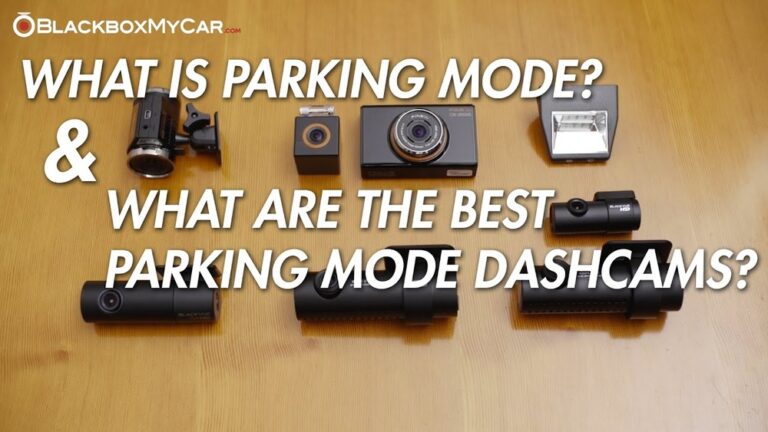
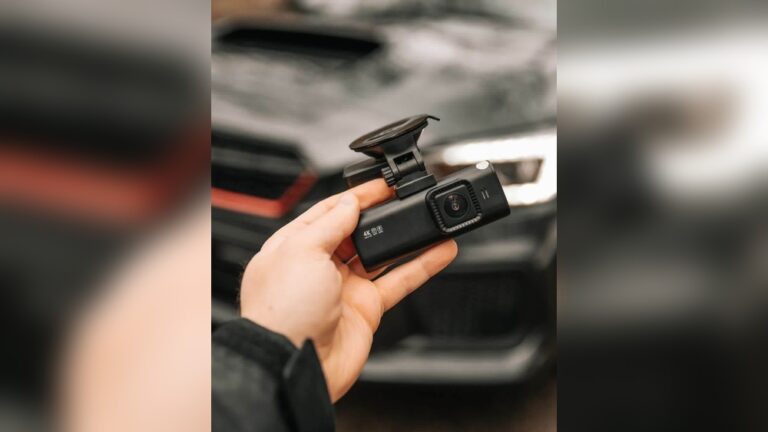
Every year I see more drivers fit dash cams to cars, trucks, and motorcycles. These small cameras record accidents, deter insurance fraud, and can even help catch vandals. After buying a dash cam, many people hit the same snag: how to route the dash cam cable so it’s safe, neat, and reliable. A messy cable can block your view, interfere with controls, or become a real hazard. Doing the job right isn’t just about looks. It’s about safety, reliable recording, and protecting your car’s electronics and airbags.
This guide walks you through routing a dash cam cable step by step. It works for most cars, trucks, vans, SUVs, and even motorcycles. I’ll share planning tips, tools I always use, vehicle-specific notes, and advanced tricks I’ve learned from dozens of installs.
By the end, you’ll know how to hide the cable, avoid airbag and sensor zones, and decide whether to plug in or hardwire your dashcam for 24/7 parking mode.
Why Proper Dash Cam Cable Routing Matters
It’s tempting to plug the dash cam in and run the cable over the dash. Don’t. Messy routing causes real problems:
- Blocked vision: Dangling cables can sit in your sightline. They distract and reduce safety.
- Snag hazards: Cables near pedals, gear levers, or seat rails can get caught or pulled.
- Wear and damage: Unprotected wires get pinched, chewed, or crushed and then fail when you need them most.
- Inspection and warranty issues: Visible or damaged wiring can cause inspection failures. Hardwiring incorrectly can affect warranties.
A well-routed cable is almost invisible. It stays put and is protected from heat, abrasion, and moving parts. Spend the extra 30–60 minutes. I promise it’s worth it every time your dash cam records an incident cleanly.
Tools And Materials You’ll Need
Good cable management starts with the right tools. I keep these items in my trunk for installs:
- Trim removal tool: Plastic pry tools let you pop panels without scratching trim.
- Cable clips or adhesive mounts: Use 3M-style adhesive clips or dedicated cable clips to hold paths in place.
- Cable ties (zip ties): Small and large sizes for bundling and securing behind the dash.
- Electrical tape and heat-shrink tubing: For bundling and protecting soldered or joined cables.
- Measuring tape: Check length before you start. Helps avoid mid-install surprises.
- Flashlight or headlamp: Visibility behind panels is everything.
- Small screwdrivers / socket set: Some trim pieces or fuse boxes need tools.
- Your dash cam, power cable, and any extension cables: Most front dash cams ship with 10–15 ft (3–4.5 m) USB-type cables. Rear cameras often need longer runs.
You might not need all of these for a simple plug-in install. For hardwiring or rear-cam runs, plan on using most of them.
Planning Your Cable Route
Good planning prevents damage and keeps the job fast. I always dry-run the cable first. That means laying it along the suggested path without tucking anything yet.
Identify Power Source
Most dash cams draw power from one of three places:
- 12V accessory socket (cigarette lighter): The easiest and fastest option for most drivers.
- Hardwire kit (fuse box): Cleanest look and allows parking mode. Requires basic electrical skills or a pro.
- OBD-II port: Works for some setups but can be bulkier and more visible.
Choose the power method before routing. It determines where the cable ends and how you run it under the dash.
Cable Length Matters
Measure the planned path. For a front camera, count from the mount behind the rearview mirror, down the A-pillar, under the dash, and to the power source. For a rear camera, add the headliner run to the trunk or tailgate. If your run is tight, pick a longer cable or an extension. Don’t stretch the wire; leave slack for movement and temperature change.
Avoid Moving Parts
Plan the route so the cable never touches or crosses:
- Steering wheel or steering column
- Pedals (gas, brake, clutch)
- Gear levers
- Seat rails or folding seats
A stray cable at a moving point is a safety risk. I always check seat adjustment ranges before securing a run.
Look For Hiding Spots
Most cars offer tidy hiding spots. Use them:
- Headliner edge where the windshield meets the roof
- A-pillar trim and behind pillar clips
- Door weather stripping channels
- Under the dashboard lip and along factory wiring harnesses
- Center console seams
Following factory wire channels keeps the cable protected and invisible. It also reduces the chance of interference with airbags, sensors, or moving parts.
Step-by-step Guide: Routing The Dash Cam Cable
Here’s the exact process I use on every install. I stick to these steps to keep things safe, fast, and neat.
1. Position The Dash Cam
Mount the camera first. I place it just behind the rearview mirror, slightly to the passenger side. Make sure:
- The lens has a clear view of the road.
- It does not block your field of vision or any sensors.
- The screen or buttons are reachable for adjustments.
Leave a few inches of slack at the camera so you can adjust it without pulling on the cable.
2. Tuck Cable Into The Headliner
Start at the camera and gently push the cable into the gap where the windshield meets the headliner. Use your fingers or a plastic trim tool. Most cars have enough space here for a thin USB-style cable.
- Go slowly to avoid creasing or tearing the headliner.
- Don’t force the cable; if it resists, try a slightly different angle.
- If the headliner is tight, route behind the rubber weather seal instead.
3. Run Cable Down The A-pillar
Route the cable down the passenger-side A-pillar. This is the vertical trim next to the windshield. In many cars, you can tuck the cable behind the trim to hide it completely.
- Open the door and gently peel back the rubber weather seal.
- Use the trim tool to pop the A-pillar trim loose if needed. Take small clips out slowly.
- Follow the original wiring harness where possible. This keeps the run factory-looking.
- Never place the cable over an airbag—route behind or below it instead.
Pro tip: Curtain airbags run inside pillars and roofs. If the A-pillar says “SRS Airbag,” route the cable behind or below its mounting area. A cable in the wrong spot can affect airbag deployment in a crash.
4. Hide Cable Behind The Glove Box Or Under The Dash
From the A-pillar, continue under the glove box or behind the dashboard. I follow factory wire bundles and remove any slack that could hang down into the footwell.
- Find existing wire bundles and follow them—this is safest and cleanest.
- Use zip ties or adhesive clips to keep the cable secured and prevent sagging.
- Avoid cutting or routing across sharp metal edges or moving mechanisms.
If your power source is on the driver’s side, run the cable behind the dash rather than under floor mats. Floor runs risk catching on shoes or shifting mats.
5. Route To Power Source
How you finish the run depends on the power method you chose:
- 12V socket: Route the cable to the dash or center console socket. Tuck excess cable under the dash or use adhesive clips so nothing hangs into the passenger area.
- Hardwire kit: Follow the kit instructions. Locate the fuse box (usually under the dash or glove box) and select a switched fuse for ignition power or a constant fuse for parking mode.
- OBD-II port: Plug in below the steering wheel if that’s your choice. Use clips to hide the cable behind dash trim.
Remove slack so the cable won’t fall into footwells or get pulled when doors close.
6. Secure And Test
Finish strong—secure and verify the system:
- Clip or tie the cable every 6–12 inches to factory wiring or trim.
- Leave small amounts of slack at connection points. This prevents tension during vibration or temperature changes.
- Reinstall trim panels and press weather seals back into place.
- Plug the dash cam in, start the car, and confirm the camera powers up and records.
If the camera powers and no cables are visible, you did it right. I always take a quick drive to verify nothing shifts or pulls when the car vibrates.
Common Mistakes To Avoid
Even experienced installers slip up. Watch for these common errors:
- Routing across airbags: This is dangerous. An airbag must deploy without obstruction.
- Leaving loose cable: Loose runs can catch feet, be damaged, or cause distraction.
- Forcing panels: Use plastic tools and small motions. Heavy force breaks clips and trim.
- Pinching the cable: Watch door seals and trim edges where the cable could get pressed flat.
- Blocking vents or sensors: Avoid defroster vents and rain/light sensors near the windshield.
Double-check routes and run a wiggle test before buttoning everything up.
Differences By Vehicle Type
The basic steps apply to most vehicles. Still, each type has quirks. I’ll call out what changes by vehicle so you won’t be surprised.
Compact Cars And Sedans
- Shorter cable runs and tighter spaces.
- Fewer hidden obstacles in pillars and dash cavities.
- Headliner and trim are often easier to lift for quick tucks.
Suvs And Trucks
- Longer cable runs may require extensions.
- Bigger A-pillars and more complex trim.
- Extra airbags or electronics in pillars—check your manual.
Vans And Commercial Vehicles
- Often need extra adhesive clips or longer cables.
- Partitions and unusual trim paths may require routing behind panels.
Electric And Hybrid Cars
- Avoid high-voltage wiring, usually marked in orange.
- Extra sensors and cameras near the windshield may limit hiding options.
If in doubt, consult your vehicle’s service manual for airbag and wiring diagrams. I do this on high-end or modern cars with complex electronics.

Credit: www.botslab.com
Rear Dash Cam Cable Routing
Many dashcam kits add a rear camera. Routing the rear cable is trickier because it crosses the cabin and sometimes the tailgate. Here’s how I handle it for clean, reliable video.
Steps For Rear Camera Cable
- Start at the front camera: Connect the rear cable at the front unit so the run is continuous and protected.
- Run along the headliner: Tuck the cable beside factory wires all the way back.
- Go down the C-pillar: Route behind pillar trim and follow existing wiring paths.
- Hide near the trunk or hatch: Secure with clips, and use flexible conduit at moving joints like the tailgate hinge.
Extra tip: In hatchbacks and SUVs, use flexible wire tubing at the tailgate hinge or around the hatch seal. It protects the cable where it flexes and prevents water intrusion or chafing.
Table: Front Vs Rear Dash Cam Cable Routing
| Aspect | Front Camera | Rear Camera |
|---|---|---|
| Cable Length Needed | 10–15 ft (3–4.5 m) | 18–25 ft (5.5–7.5 m) |
| Main Obstacles | A-pillar, dashboard | Headliner, B/C-pillars, trunk/tailgate |
| Best Hiding Spots | Headliner, under dash | Headliner, pillar trim, trunk trim |
| Extra Considerations | Airbags, sensors | Tailgate movement, water seals |
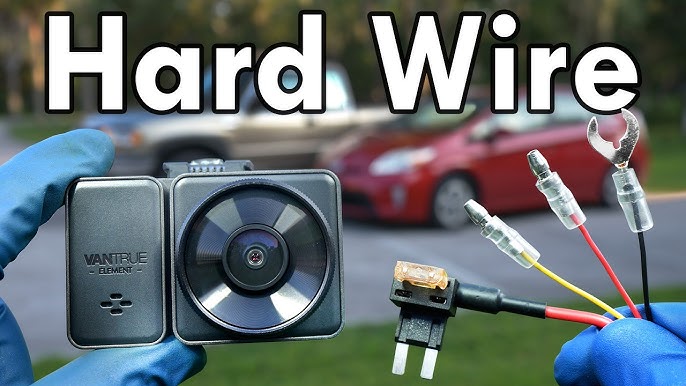
Hardwiring: The Cleanest (but Most Complex) Option
Hardwiring a dash cam to your fuse box is the neatest option. It hides all visible cables and lets you run parking mode. But it’s more advanced and requires care to avoid electrical or warranty problems.
Steps For Hardwiring
- Buy a hardwire kit made for your dashcam. Kits usually include a fuse tap, voltage monitor, and ground wire.
- Find the fuse box—often under the glove box or on the driver’s footwell panel.
- Pick the right fuse: a switched fuse for ignition-only power or a constant fuse for parking mode.
- Install the fuse tap and connect the power lead per the kit’s instructions.
- Attach the ground wire to a clean metal bolt or factory grounding point.
- Route the power cable back to the camera the same way you would for a plug-in install.
Key tip: Never tap into an airbag or safety system fuse. That can cause errors and dangerous failures. When in doubt, ask a pro or refer to your car’s wiring diagram.
Table: Plug-in Vs Hardwired Dash Cam Power
| Feature | Plug-in (12V Socket) | Hardwired |
|---|---|---|
| Ease of Installation | Easy | Medium–Difficult |
| Continuous Power | No | Yes (if set up) |
| Appearance | Visible cable at socket | Almost invisible |
| Risk to Warranty | None | Possible (if not careful) |
Advanced Tips For A Professional-looking Installation
If you want a factory finish, try these pro tricks. They make installs tougher in hot/cold climates and improve long-term reliability.
Use The Right Cable Clips
Upgrade cheap adhesive mounts to quality 3M clips or snap-in cable clamps. They hold in heat and cold. I use a mix of adhesive clips for visible sections and plastic snap clips behind panels.
Avoid Cable Overlap
Keep dashcam power and video cables separate from high-current lines like seat heaters and defrosters. Electromagnetic interference can introduce noise into your recordings. Use shielded cables if you see static or lines in video.
Protect In Hot Climates
In hot areas, adhesives fail and cables soften. To avoid this:
- Use fabric or Velcro wraps to reduce heat stress.
- Place extra clips in areas prone to droop.
- Inspect adhesive mounts after a few hot days and replace weak ones.
Plan For Removal
Route so you can remove the camera later without cutting wires or damaging trim. Use removable clips and leave connectors accessible. This helps if you sell the car or upgrade the dashcam.
Test Before Finishing
Before you snap trims back in place:
- Power the camera and confirm a steady feed and recording.
- Wiggle cable runs at stress points to check for power loss.
- Adjust the camera angle and confirm the view covers lanes and road signs.
Testing now saves hours of disassembly later.
Troubleshooting: If Something Goes Wrong
Even careful installs can hit snags. Here are fast fixes for the most common issues.
Dash Cam Doesn’t Power On
- Double-check all connections and the power source.
- Try a different 12V socket or USB port if available.
- Test with a spare cable to rule out a bad lead.
- For hardwired setups, verify the fuse tap is in the correct slot and the fuse is good.
Video Interference Or Static
- Reroute the video/power cable away from other electronics.
- Use shielded cables or ferrite beads on power leads.
- Confirm ground connections are solid and rust-free.
Cable Gets Hot
- Disconnect immediately and inspect for pinches or exposed wiring.
- Replace damaged cable sections with higher-grade wire.
- Check that the cable is not bundled tightly with other heat-producing cables.
Adhesive Clips Won’t Stick
- Clean the mounting surface with isopropyl alcohol first.
- Warm the adhesive with a hairdryer for 10–15 seconds before pressing it on.
- Use mechanical clips or screw-in mounts in high-heat spots.
Credit: www.youtube.com
Real-world Example: A Sedan Dash Cam Install
Here’s how I install a front dash cam in a typical four-door sedan. I follow these exact steps every time for a tidy, factory look.
- Mount the camera behind the rearview mirror, slightly toward the passenger side.
- Tuck the power cable into the headliner along the windshield.
- Run it down the passenger A-pillar and hide it behind trim, avoiding airbags.
- Route under the glove box and across to the center console or fuse box.
- Secure with adhesive clips every 6–12 inches and use zip ties behind trim.
- Plug in and test. The cable is invisible and the camera starts automatically with ignition.
On a first install, this usually takes me 30–60 minutes. It yields a professional-looking result that lasts.
Dash Cam Cable Routing: Frequently Missed Details
Even experienced DIYers miss these small but important details. I always check them before finishing an install:
- Door weather stripping: Tucking the cable under the rubber seal hides and protects it. Just lift the seal, slide the cable in, and press the seal back.
- Moving parts check: Slide the seat fully forward and back and fold seats where applicable. Make sure cables never pinch.
Reminder: Improper routing that damages wiring or interferes with airbags can affect warranty claims. Always follow your car’s service manual and manufacturer guidance.

Credit: www.youtube.com
Maintenance And Long-term Care
A good install isn’t “set and forget.” I inspect installs every few months, and after big temperature swings or long road trips.
- Look for sagging or loose clips and reattach them.
- Check for wear at door seals or trim edges and re-route if chafed.
- Confirm the dash cam powers up during every drive. If it doesn’t, stop and inspect immediately.
Early fixes are cheap. Ignoring a problem can lead to a failing camera when you need footage most.
When To Get Professional Help
Most drivers can handle a plug-in install. But hire a pro if you:
- Are uncomfortable removing trim or dealing with airbag areas.
- Need a hardwire install and don’t have basic electrical skills.
- Want a full factory look with hidden cables behind dash panels.
Electronics shops and car audio installers often charge $50–$150 depending on complexity. Some car warranties require professional installation for electrical work—check your manual or dealer first.
Dash Cam Cable Routing For Motorcycles
Motorcycle installs are different. You face weather, vibration, and exposed wiring. Use these best practices:
- Use waterproof cable sleeves and silicone-sealed connectors.
- Route cables along the frame and avoid hot engine parts or exhaust headers.
- Secure with UV-resistant cable ties and add protective spiral wrap at stress points.
- Leave slack at the handlebars for full steering travel.
A clean motorcycle install protects electronics and keeps your wiring safe on rough roads.
Table: Common Dash Cam Cable Routing Problems And Solutions
| Problem | Cause | Solution |
|---|---|---|
| Camera turns off while driving | Loose or pinched cable | Check all connections, avoid sharp bends |
| Cable visible in the windshield | Poor routing, not tucked into headliner | Re-route using trim tool, add clips |
| Interference on video | Power cable near other electronics | Reroute cable, use shielded wires |
| Clips or tape fall off | Dirty surface, low-quality adhesive | Clean with alcohol, use better clips |
| Warranty concerns | Damage to airbags or wiring | Follow manual, avoid airbag zones |
Where To Find More Help
Want photos, model-specific threads, or install walkthroughs? Online forums and video channels are great. Check the DashCamTalk Forum for detailed posts, tips, and real installs from experienced users.
Final Thoughts
A dash cam is a small investment that can protect you in a big way. Yet the camera is only as good as the install. Take your time. Use the right tools. Avoid airbags and moving parts. Follow the tips in this guide and you’ll have a clean, reliable dashcam setup that lasts.
Do it right and you’ll barely notice the cable. But when you need footage, you’ll be glad you took the care to route it safely.
FAQs About How to Route Dash Cam Cable Safely
How Long Does It Take To Route A Dash Cam Cable?
For most cars, a careful routing job takes about 30 to 60 minutes. If you’re new to trim removal or hardwiring, allow up to two hours. Rushing increases the chance of broken clips or pinched wires.
Do I Need Special Tools To Route The Cable?
A plastic trim removal tool is highly recommended. You can still use your fingers, but plastic tools reduce the risk of damage. Good adhesive clips and zip ties make the finished job much neater.
Can Routing The Cable Void My Car’s Warranty?
If you damage wiring, the airbag system, or electronics, warranty coverage could be affected. Don’t tamper with airbag circuits and follow manufacturer guidance. For hardwiring, consult your dealer if you’re unsure.
Is It Safe To Run The Cable Near Airbags?
No. Never run the cable over, in front of, or directly across an airbag cover. Route behind or below airbag zones so deployment is unobstructed. If your pillar is marked “SRS Airbag,” treat that area with caution.
How Do I Hide The Cable Completely?
Tuck the cable into the headliner, behind A/B/C-pillar trim, under the dash, and along door seals. Use adhesive clips under dash ledges and follow factory harnesses. With careful routing, the cable should be invisible from the driver’s seat.
With practice and the right approach, anyone can route a dash cam cable safely and neatly. It’s a small upgrade that improves safety and keeps your car looking clean.

I am Julian Drive, an automotive enthusiast and repair expert with over 7 years of hands-on experience in vehicle maintenance. At Carora Hub, I simplify complex car issues into easy-to-follow DIY guides to help drivers stay safe and save on repair costs.